
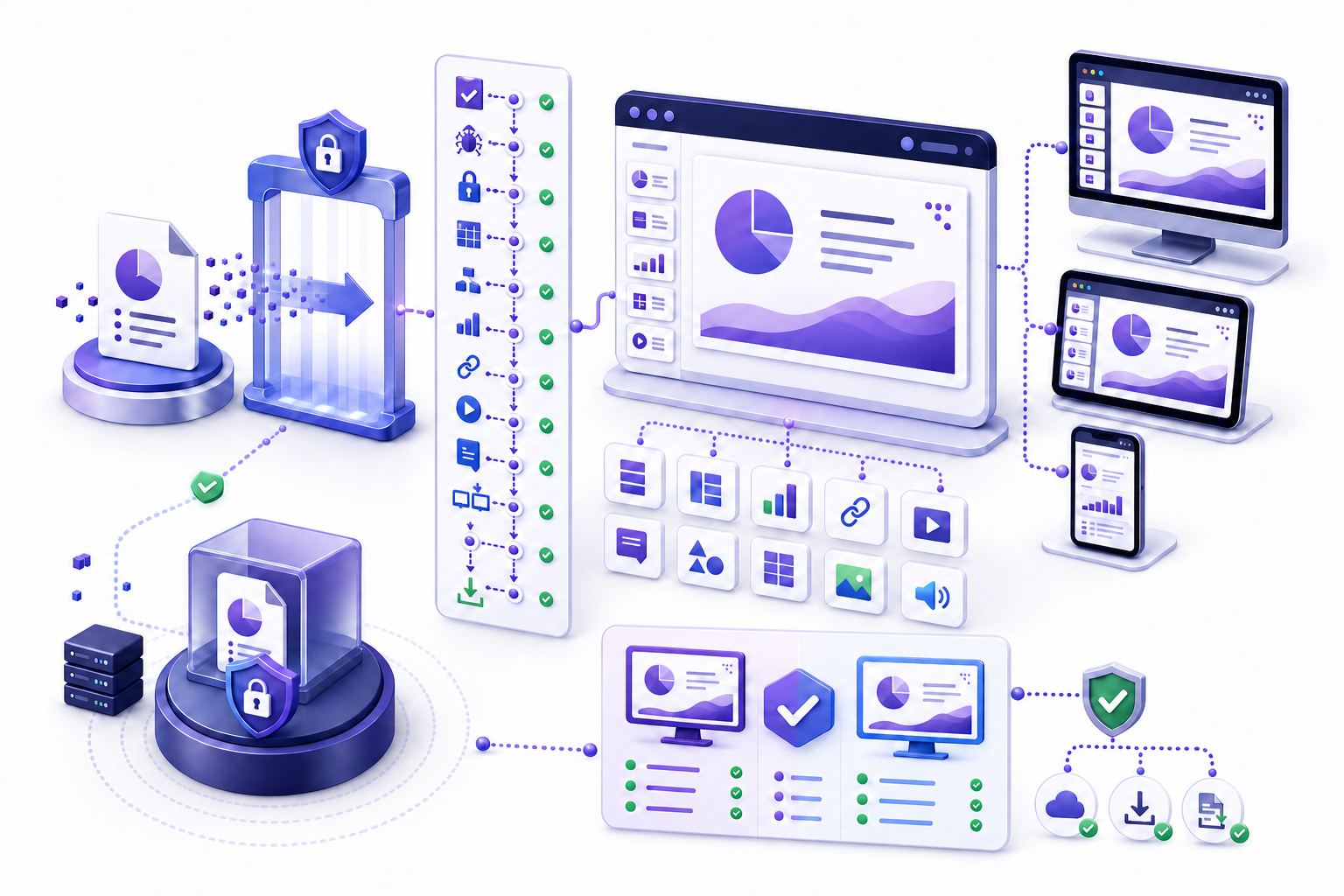
Use an online PPT viewer only after checking format, trust, and privacy确认格式、可信度与隐私后再使用 Online PPT Viewer
Confirm the file source and extension, choose an approved service, read its upload and retention rules, use a sanitized copy, open with the least privilege, inspect slide order and rendering, test links and media, compare important slides with an authoritative version, and remove the file or permission when the task ends.
确认文件来源与扩展名,选择获批服务,阅读上传与保留规则,使用脱敏副本,以最小权限打开,检查页面顺序与渲染,测试链接和媒体,把重要页面与权威版本比较,并在任务结束后删除文件或权限。
An online viewer can answer whether a recipient can open, navigate, and read a deck in a defined browser. It cannot prove the deck is factually correct, free of malicious content, private, accessible to everyone, or identical in every environment. Treat the viewer as one observation surface within a controlled review.
在线查看器可以回答收件人能否在指定浏览器中打开、导航和阅读文稿。它不能证明文稿事实正确、没有恶意内容、保持私密、对所有人无障碍或在每个环境中完全一致。应把查看器当作受控复核中的一个观察界面。
Define why, where, and by whom the presentation will be viewed定义演示为何、在哪里以及由谁查看
Write the task: quick preview, formal approval, asynchronous reading, classroom access, customer review, public publishing, mobile reference, or recovery on a device without authoring software. Name the audience, file sensitivity, account, permission, browser, device, network, time limit, interaction needs, and whether download, comment, edit, or conversion is allowed.
写明任务:快速预览、正式批准、异步阅读、课堂访问、客户审阅、公开发布、移动参考,或在没有创作软件的设备上恢复查看。注明受众、文件敏感度、账户、权限、浏览器、设备、网络、时间限制、交互需求,以及是否允许下载、评论、编辑或转换。
A public marketing deck and a confidential board presentation require different controls. If visual fidelity or active features are decision-critical, a browser viewer may be insufficient. Define acceptance criteria before choosing a service, not after a rendering problem appears.
公开营销文稿与机密董事会演示需要不同控制。如果视觉保真或活动功能对决策关键,浏览器查看器可能不够。应在选择服务前定义验收标准,而不是渲染问题出现后再补。
Understand how an online presentation viewer receives the file理解在线演示查看器如何接收文件
The file is stored in an account and opened through its sharing controls.文件存储在账户中,并通过共享控制打开。
A copy is sent to a service for processing and may be retained.副本发送到服务处理,并可能被保留。
A controlled presentation is rendered through a shareable or public link.受控演示通过可共享或公开链接渲染。
Processing may occur locally, but claims and network requests require verification.处理可能在本地进行,但仍需核验声明与网络请求。
Do not assume “online” means the same data flow across services. Determine where processing occurs, whether the file is copied, who can access it, how long it remains, what logs or backups exist, and how deletion is verified.
不要假设所有“在线”服务的数据流相同。应确认处理发生在哪里、文件是否被复制、谁能访问、保留多久、存在哪些日志或备份,以及如何验证删除。
Select an online PPT viewer with an evidence-based comparison通过证据化比较选择 Online PPT Viewer
Compare candidate services using the same test deck and criteria: supported formats, file-size limit, password and rights-management behavior, macro handling, font and media fidelity, notes and hidden-content exposure, accessibility, browser and device support, account model, permissions, download control, retention, deletion, region, encryption, subprocessors, audit logs, support, and contract terms. Record the source and date for every product claim.
使用同一个测试文稿和相同标准比较候选服务:支持格式、文件大小限制、密码与权限管理行为、宏处理、字体和媒体保真、备注与隐藏内容暴露、无障碍、浏览器和设备支持、账户模式、权限、下载控制、保留、删除、区域、加密、分处理方、审计日志、支持与合同条款。为每项产品声明记录来源与日期。
Weight criteria by the use case rather than counting features. A viewer with excellent animation support may still be unacceptable for confidential material. A secure enterprise viewer may be excessive for a public deck but appropriate for regulated work. Distinguish documented capability, configured capability, observed test result, and assumption.
根据用例为标准加权,而不是简单计算功能数量。动画支持出色的查看器仍可能不适合机密材料;安全企业查看器对公开文稿可能过度,但适合受监管工作。区分已记录能力、已配置能力、观察到的测试结果与假设。
Check exact file-format support before uploading a presentation上传演示前检查确切文件格式支持
Identify the real extension and do not trust a renamed file. Distinguish `.ppt`, `.pptx`, `.pps`, `.ppsx`, `.pptm`, `.pot`, `.potx`, and `.odp`, plus password protection, digital signatures, rights management, embedded objects, and macros. A service may view a format but not edit it, or may create a new copy when editing.
识别真实扩展名,不要信任改名文件。区分 `.ppt`、`.pptx`、`.pps`、`.ppsx`、`.pptm`、`.pot`、`.potx` 与 `.odp`,以及密码保护、数字签名、权限管理、嵌入对象与宏。服务可能只能查看不能编辑,也可能在编辑时创建新副本。
Microsoft documents that PowerPoint for the web can view older `.ppt` and `.pps` files but creates a newer-format copy for browser editing; macro-enabled presentations can be viewed but macros do not run; some protected or signed files require desktop software. These behaviors are product-specific and should not be generalized to another viewer.
Microsoft 说明 PowerPoint 网页版可以查看旧 `.ppt` 与 `.pps`,但浏览器编辑时会创建较新格式副本;宏启用演示可以查看但不会运行宏;部分受保护或签名文件需要桌面软件。这些行为属于特定产品,不能泛化到其他查看器。
Verify the presentation source before opening it online在线打开演示前验证文件来源
Confirm the sender through a known channel, expected filename and context, file size, extension, delivery path, and whether the sender intended a link or attachment. Treat unexpected presentations, shortened URLs, shared-drive invitations, password prompts, and urgent requests cautiously. Follow organizational malware scanning and incident procedures.
通过已知渠道确认发送者、预期文件名与背景、文件大小、扩展名、交付路径,以及发送者是否本来要提供链接或附件。谨慎处理意外演示、短链接、共享盘邀请、密码提示与紧急请求,并遵循组织恶意软件扫描与事件流程。
A browser sandbox or non-executing viewer can reduce some risk, but it is not proof that a file is benign. Do not bypass security controls because the goal is “only viewing.” Use an approved, patched browser and account on a managed device.
浏览器沙箱或不执行内容的查看器可以降低部分风险,但不能证明文件无害。不要因为“只是查看”就绕过安全控制。应在受管理设备上使用获批、已更新的浏览器与账户。
Evaluate upload, retention, training, region, and deletion policies评估上传、保留、训练、区域与删除政策
Before uploading, read applicable terms, privacy documentation, data processing agreement, retention schedule, subprocessor list, storage region, encryption claims, account controls, training or model-use policy, deletion method, support access, and breach process. Confirm that your organization has approved the service and the intended data class.
上传前阅读适用条款、隐私说明、数据处理协议、保留计划、分处理方列表、存储区域、加密声明、账户控制、训练或模型使用政策、删除方法、支持访问与泄露流程。确认组织已批准该服务与预定数据级别。
Use a sanitized test deck first. Remove secrets, credentials, personal information, unpublished financials, customer identifiers, privileged material, speaker notes, hidden slides, comments, version history, and embedded source data not needed for the test. Redaction should be verified in the actual uploaded copy.
先使用脱敏测试文稿。删除测试不需要的密钥、凭据、个人信息、未公开财务、客户标识、特权材料、演讲者备注、隐藏页、评论、版本历史与嵌入源数据,并在实际上传副本中验证遮蔽。
Use an approved account, tenant, and destination folder使用获批账户、租户与目标文件夹
Verify the signed-in identity, tenant, workspace, folder, sharing defaults, external-access rules, and synchronization behavior before upload. Personal and work accounts can look similar. A file placed in the wrong tenant or public folder may inherit unintended access even if the link is never deliberately shared.
上传前验证登录身份、租户、工作区、文件夹、共享默认值、外部访问规则与同步行为。个人账户与工作账户可能外观相似。文件放入错误租户或公共文件夹时,即使没有主动共享链接,也可能继承非预期访问。
Use least privilege and separate testing from production. Disable automatic public publishing, anonymous editing, or broad organization access unless explicitly approved. Record the owner and removal date for temporary files.
遵循最小权限,并把测试与生产分开。除非明确批准,否则关闭自动公开发布、匿名编辑或全组织广泛访问。为临时文件记录负责人和删除日期。
Run a first-pass review before trusting the online rendering信任在线渲染前先进行首次复核
Confirm slide count, sequence, section boundaries, opening and ending, aspect ratio, orientation, theme, language, hidden-slide indicators, and whether the viewer loaded every page. Compare file name, modified date, owner, and version with the expected artifact. A successful open does not prove the right version opened.
确认页数、顺序、章节边界、开头与结尾、宽高比、方向、主题、语言、隐藏页提示以及查看器是否加载每一页。把文件名、修改日期、负责人和版本与预期成品比较。成功打开并不能证明打开的是正确版本。
Scan thumbnails for blank slides, duplicates, unexpected template changes, clipped previews, and outliers. Then inspect high-risk slides at readable zoom. Record the viewer, browser, version, device, account, network, and test time so another reviewer can reproduce the observation.
扫描缩略图,查找空白页、重复页、意外模板变化、被裁剪预览与异常页,再以可读缩放检查高风险页面。记录查看器、浏览器、版本、设备、账户、网络与测试时间,使其他复核人可以重现观察。
Compare browser rendering with an authoritative presentation output把浏览器渲染与权威演示输出比较
Review slide size, backgrounds, masters, layouts, object position, crop, transparency, gradients, shadows, line endings, grouping, layering, equations, symbols, charts, tables, SmartArt, and embedded objects. Sample simple and complex slides, then inspect every decision-critical slide.
复核页面大小、背景、母版、版式、对象位置、裁剪、透明度、渐变、阴影、线端、分组、层级、公式、符号、图表、表格、SmartArt 与嵌入对象。抽查简单和复杂页面,再逐页检查所有决策关键页面。
Use an approved desktop rendering, signed PDF, or owner-verified reference when available. A visual difference may be acceptable if meaning is preserved, but document it. If layout changes alter values, labels, associations, reading order, or decisions, the online viewer is not acceptable for that use.
可用时使用获批桌面渲染、签名 PDF 或负责人验证参考。视觉差异在含义保留时可能可接受,但应记录。如果版式变化改变数值、标签、关联、阅读顺序或决策,在线查看器就不适合该用途。
Check font substitution, text flow, symbols, and language检查字体替换、文字流、符号与语言
Look for fallback fonts, changed weight, line breaks, clipped text, overflow, missing glyphs, altered bullets, superscripts, equations, right-to-left order, CJK wrapping, and inconsistent character spacing. Font substitution can move nearby objects and change chart labels even when every word remains present.
查找后备字体、字重变化、换行、裁剪、溢出、缺失字形、项目符号变化、上下标、公式、从右到左顺序、中日韩换行与字符间距不一致。即使文字都存在,字体替换也可能移动邻近对象并改变图表标签。
Test at 100% and at the intended device width. Do not rely on the thumbnail. If a required font is unavailable, create an approved fallback strategy or distribute a validated fixed-format output rather than silently accepting reflow.
在 100% 缩放和预定设备宽度测试,不要依赖缩略图。所需字体不可用时,建立获批后备策略或分发已验证固定格式输出,而不是静默接受重排。
Verify charts, tables, linked data, and source labels验证图表、表格、链接数据与来源标签
Confirm titles, axes, units, legends, categories, series, labels, conditional formatting, totals, filters, periods, footnotes, and source notes. Check whether linked data refreshed, remained stale, or was converted to a static object. Never assume a chart is current because it renders cleanly.
确认标题、坐标轴、单位、图例、类别、系列、标签、条件格式、总计、筛选、期间、脚注与来源备注。检查链接数据是已刷新、仍过时还是转换为静态对象。不要因为图表渲染干净就假设数据最新。
Compare key values with the governed source and recalculate material totals. If the online viewer cannot expose underlying data, use it only for display after source validation elsewhere. Avoid downloading or extracting data to an unapproved local location.
把关键值与受治理来源比较,并重新计算重大总计。如果在线查看器无法显示底层数据,应先在其他地方验证来源,再只用于显示。避免把数据下载或提取到未获批本地位置。
Test animation, transitions, audio, video, and interactive elements测试动画、切换、音频、视频与交互元素
A browser viewer may simplify, ignore, or differently render transitions, triggers, motion paths, embedded media, online video, captions, narration, timing, hyperlinks, action buttons, zoom links, and interactive objects. Test each feature needed for the real task with muted and unmuted audio, autoplay restrictions, full-screen mode, and the recipient account.
浏览器查看器可能简化、忽略或以不同方式渲染切换、触发器、动作路径、嵌入媒体、在线视频、字幕、旁白、计时、超链接、操作按钮、缩放链接与交互对象。用收件人账户在静音、非静音、自动播放限制与全屏下测试真实任务所需功能。
If interaction is unsupported, provide a validated static alternative or require the approved desktop environment. Do not imply that a nonplaying macro or embedded object has been security-reviewed merely because the browser did not execute it.
交互不受支持时,提供已验证静态替代或要求获批桌面环境。不要因为浏览器没有执行宏或嵌入对象,就暗示它已经过安全审查。
Test online presentation permissions with a recipient-like account使用类似收件人的账户测试在线演示权限
Choose named people, organization-only, anyone-with-link, public, view, comment, or edit deliberately. Check link expiration, authentication, download, copy, print, reshare, embed, and search discoverability. Microsoft documents choosing view or edit permissions and notes that rights management has limits, including screen capture and photography.
有意选择指定人员、仅组织、任何有链接者、公开、查看、评论或编辑。检查链接到期、身份验证、下载、复制、打印、再共享、嵌入与搜索可发现性。Microsoft 说明可以选择查看或编辑权限,也说明权限管理存在限制,包括截图与拍照。
Open the link in a private browser or test account without owner privileges. Verify access before and after sign-out, from an external identity when allowed, and after revocation. Confirm the viewer does not silently switch from view to edit or expose a source-copy download.
在没有所有者权限的隐私浏览器或测试账户中打开链接。验证登录前后、允许时的外部身份以及撤销后的访问。确认查看器不会静默从查看切换为编辑,也不会暴露源副本下载。
Treat public links, publishing, and embedded presentations as distribution把公开链接、发布与嵌入视为正式分发
A published or embedded presentation can become searchable, indexable, cached, copied, framed by another site, or retained after the original link changes. Confirm the intended audience, robots and discoverability behavior, embed domain controls, analytics, cookies, update propagation, expiration, revocation, and what information the public view removes or preserves.
已发布或嵌入演示可能被搜索、收录、缓存、复制、由其他网站框架引用,或在原链接变化后继续保留。确认预定受众、搜索与可发现行为、嵌入域控制、分析、Cookie、更新传播、到期、撤销以及公开视图删除或保留哪些信息。
Microsoft documents public-publishing and view-only web options in specific products; that does not make every link private or every published copy revocable everywhere. Test the anonymous view, source-download path, notes and comment exposure, and cached result before announcement. Archive the approved public version and retain an owner who can remove it.
Microsoft 记录了特定产品中的公开发布与仅查看 Web 选项,但这并不意味着每个链接都私密,也不意味着每个已发布副本在所有地方都可撤销。公告前测试匿名视图、源文件下载路径、备注与评论暴露以及缓存结果。归档获批公开版本,并保留能够删除它的负责人。
Check what download, print, export, and conversion actually produce检查下载、打印、导出与转换实际产生什么
Test whether the viewer offers the original, a converted `.pptx`, PDF, images, or another representation. Record whether notes, comments, links, media, animations, alt text, hidden slides, metadata, and permissions travel with the output. A downloaded copy can have different exposure and fidelity from the online view.
测试查看器提供原件、转换后的 `.pptx`、PDF、图片还是其他表示。记录备注、评论、链接、媒体、动画、替代文本、隐藏页、元数据与权限是否随输出传递。下载副本的暴露与保真可能不同于在线视图。
Download only to an approved destination, scan and classify the result, compare it with the source, and delete temporary copies according to policy. Never overwrite the only original with a browser-converted copy. Preserve version and conversion provenance.
只下载到获批位置,对结果扫描与分类,把它与来源比较,并按政策删除临时副本。不要用浏览器转换副本覆盖唯一原件。保留版本与转换来源记录。
Test the online PPT viewer on the real mobile and tablet devices在真实手机和平板设备上测试 Online PPT Viewer
Check sign-in, link opening, orientation, viewport fit, zoom, swipe and keyboard navigation, thumbnails, full-screen controls, text size, chart labels, media, captions, external links, download prompts, and return navigation. A responsive browser shell does not guarantee that the presentation content itself is readable.
检查登录、链接打开、方向、视口适配、缩放、滑动与键盘导航、缩略图、全屏控制、字号、图表标签、媒体、字幕、外链、下载提示与返回导航。响应式浏览器外壳不能保证演示内容本身可读。
Test low bandwidth, interrupted connections, and resume behavior if the use case requires it. Confirm whether the service caches files locally and how to clear them on shared devices. Do not use a personal phone for restricted material without organizational approval.
用例需要时测试低带宽、连接中断与恢复行为。确认服务是否在本地缓存文件,以及如何在共享设备上清除。未经组织批准,不要用个人手机查看受限材料。
Review accessibility in both the source and browser viewer同时复核源文件与浏览器查看器的无障碍
Check unique slide titles, reading order, alt text, contrast, color-independent meaning, descriptive links, table structure, captions, keyboard access, focus visibility, zoom, and screen-reader announcements. The source can be accessible while the browser viewer is not, or the viewer can expose controls that interfere with the slide order.
检查唯一页面标题、阅读顺序、替代文本、对比度、不依赖颜色的含义、描述性链接、表格结构、字幕、键盘访问、焦点可见性、缩放与屏幕阅读器播报。源文件可能无障碍但浏览器查看器不是,查看器控制也可能干扰页面顺序。
Test with the intended browser and representative assistive technology. Provide an accessible alternative when required. Do not treat automated checks or a visible slide alone as proof of equivalent access.
使用预定浏览器与代表性辅助技术测试,并在需要时提供可访问替代。不要把自动检查或可见页面本身当成等效访问证明。
Troubleshoot online presentation problems by isolating the layer通过隔离问题层排查在线演示故障
| Symptom症状 | Likely layer可能层 | Next check下一步检查 |
|---|---|---|
| File will not open文件无法打开 | Format, protection, account, corruption格式、保护、账户、损坏 | Extension, policy, known-good copy扩展名、政策、已知正常副本 |
| Text shifts文字移动 | Font substitution or browser rendering字体替换或浏览器渲染 | Font availability and reference output字体可用性与参考输出 |
| Media fails媒体失败 | Codec, network, autoplay, external source编码、网络、自动播放、外部来源 | Supported media and recipient account受支持媒体与收件人账户 |
| Wrong access访问错误 | Link scope, identity, inherited permission链接范围、身份、继承权限 | Private window and permission audit隐私窗口与权限审计 |
Change one variable at a time: copy, service, browser, profile, device, network, account, or format. Preserve screenshots and test details without exposing sensitive content. Escalate with a sanitized reproducer when possible.
每次只改变一个变量:副本、服务、浏览器、配置、设备、网络、账户或格式。保留截图与测试细节,但不要暴露敏感内容。可能时使用脱敏复现文件升级问题。
Use a four-gate online presentation viewing workflow使用四道关口的在线演示查看流程
- 1Authorization gate. Confirm source, sensitivity, service approval, account, destination, and upload permission.授权关口。 确认来源、敏感度、服务批准、账户、目标位置与上传权限。
- 2Format gate. Identify extension, protection, active content, supported behavior, and whether conversion creates a copy.格式关口。 识别扩展名、保护、活动内容、支持行为以及转换是否创建副本。
- 3Rendering gate. Compare sequence, text, visuals, data, media, links, notes, accessibility, and device behavior.渲染关口。 比较顺序、文字、视觉、数据、媒体、链接、备注、无障碍与设备表现。
- 4Release gate. Test recipient permissions, download, retention, revocation, final version, and deletion or archival.发布关口。 测试收件人权限、下载、保留、撤销、最终版本以及删除或归档。
Keep a viewing audit record and respond to unexpected exposure保留查看审计记录并响应意外暴露
Record artifact ID, checksum or version, owner, sensitivity, service, tenant, folder, uploader, upload time, permissions, recipients, link settings, test devices, findings, downloads, conversions, retention deadline, deletion evidence, and reviewer. Avoid storing secrets in the log. A lightweight record makes repeated reviews comparable and supports removal when ownership changes.
记录成品编号、校验值或版本、负责人、敏感度、服务、租户、文件夹、上传者、上传时间、权限、收件人、链接设置、测试设备、发现、下载、转换、保留截止时间、删除证据与复核人。不要在日志中存放密钥。轻量记录让重复复核可比较,也支持负责人变化时删除文件。
If the wrong file, folder, tenant, permission, or public setting is used, stop further sharing, preserve relevant evidence, revoke access, follow incident and legal procedures, notify designated owners, identify downloaded or cached copies where possible, correct the authoritative link, and document resolution. Do not quietly replace the file and assume exposure ended.
如果使用了错误文件、文件夹、租户、权限或公开设置,应停止继续共享,保留相关证据,撤销访问,遵循事件与法律流程,通知指定负责人,在可能时识别已下载或缓存副本,修正权威链接并记录解决结果。不要静默替换文件并假设暴露已经结束。
Avoid online PPT viewer mistakes that create avoidable exposure避免会造成不必要暴露的 Online PPT Viewer 错误
- Uploading a confidential original to an unapproved free service.把机密原件上传到未获批免费服务。
- Assuming a browser preview means fonts, data, media, notes, and accessibility are correct.假设浏览器预览意味着字体、数据、媒体、备注与无障碍都正确。
- Testing as the owner rather than a recipient with limited permission.以所有者而不是有限权限收件人的身份测试。
- Editing a legacy or protected format without preserving the original and conversion record.编辑旧版或受保护格式时没有保留原件与转换记录。
- Leaving temporary files, public links, cached copies, or broad permissions after the task.任务结束后留下临时文件、公开链接、缓存副本或广泛权限。
Use Markdown to define the online PPT viewing test用 Markdown 定义在线 PPT 查看测试
A short test brief can capture the artifact ID, source owner, sensitivity, viewer, account, destination, allowed actions, expected format behavior, high-risk slides, reference output, devices, acceptance criteria, findings, and removal date. This makes online viewing reproducible instead of relying on “it looked fine.”
简短测试简报可以记录成品编号、来源负责人、敏感度、查看器、账户、目标位置、允许操作、预期格式行为、高风险页面、参考输出、设备、验收标准、发现与删除日期。这样在线查看可重现,而不是依赖“看起来没问题”。
artifact: sanitized review copy
viewer: approved browser service
permissions: view only, download tested
checks: format | fidelity | media | privacy | accessibility
removal: owner and due date
Turn the reviewed viewing brief into a shareable document把复核后的查看简报转换为可共享文档
Use the InfiniSynapse Markdown conversion tool to turn an approved review brief into a Word, PDF, or presentation-oriented deliverable. The tool supports document conversion; it is not an online PPT viewer, malware scanner, privacy approval system, fidelity validator, or permission guarantee. Review the converted output and use an approved presentation environment for the actual deck.
可使用 InfiniSynapse Markdown 转换工具把获批复核简报生成 Word、PDF 或演示类交付材料。该工具支持文档转换,但不是在线 PPT 查看器、恶意软件扫描器、隐私审批系统、保真验证器或权限保证。请复核转换结果,并使用获批演示环境处理实际文稿。
Open the Markdown conversion tool打开 Markdown 转换工具Use this online PPT viewer safety and quality checklist使用这份 Online PPT Viewer 安全与质量检查清单
- The source, extension, version, sensitivity, owner, and intended recipient are verified.已验证来源、扩展名、版本、敏感度、负责人和预定收件人。
- The service, account, tenant, folder, upload, retention, region, deletion, and training policies are approved.服务、账户、租户、文件夹、上传、保留、区域、删除与训练政策已获批准。
- A sanitized copy was used first and hidden content was inspected.先使用脱敏副本,并检查隐藏内容。
- Format support and any view-only, conversion, macro, protection, or signature limits are documented.已记录格式支持以及仅查看、转换、宏、保护或签名限制。
- Sequence, layout, fonts, charts, tables, links, media, notes, and accessibility were compared.已比较顺序、版式、字体、图表、表格、链接、媒体、备注与无障碍。
- Desktop, tablet, phone, target browser, bandwidth, and recipient-like permissions were tested.已测试桌面、平板、手机、目标浏览器、带宽与类似收件人的权限。
- Download, print, export, conversion, caching, revocation, and deletion behavior are known.已了解下载、打印、导出、转换、缓存、撤销与删除行为。
- The exact final version and share link were rechecked before distribution.分发前已重新检查确切最终版本与共享链接。
Online PPT viewer frequently asked questionsOnline PPT Viewer 常见问题
Verify the source and format, choose an approved viewer, read upload and retention rules, use a sanitized copy, sign in with the correct account, upload to the intended folder, and compare important slides with an authoritative reference before sharing.
验证来源与格式,选择获批查看器,阅读上传与保留规则,使用脱敏副本,以正确账户登录并上传到预定文件夹,再在共享前把重要页面与权威参考比较。
Not automatically. Safety depends on file trust, service approval, processing location, retention, encryption, access controls, data-use policy, device security, permissions, and deletion. Do not upload restricted content to an unapproved service.
并不自动安全。安全取决于文件可信度、服务批准、处理位置、保留、加密、访问控制、数据使用政策、设备安全、权限与删除。不要把受限内容上传到未获批服务。
Yes, supported presentations can often be viewed in approved browser services or shared web views. Format and feature support varies. Test fonts, layout, charts, media, links, notes, accessibility, and permissions for the exact file and browser.
可以,受支持的演示通常能在获批浏览器服务或共享 Web 视图中查看,但格式与功能支持不同。应针对确切文件与浏览器测试字体、版式、图表、媒体、链接、备注、无障碍与权限。
Common causes include missing fonts, unsupported effects, browser rendering, format conversion, linked content, media codecs, slide size, protection, and feature differences. Compare with a trusted reference and isolate file, viewer, browser, device, and account variables.
常见原因包括缺失字体、不受支持效果、浏览器渲染、格式转换、链接内容、媒体编码、页面大小、保护与功能差异。应与可信参考比较,并隔离文件、查看器、浏览器、设备与账户变量。
It depends on the service and permission configuration. Test with a recipient-like account. Even restricted systems may not prevent screenshots, photography, retyping, or disclosure by an authorized viewer, so share only with appropriate recipients.
这取决于服务与权限配置。应使用类似收件人的账户测试。即使受限系统也可能无法阻止截图、拍照、重新输入或获授权查看者披露,因此只向适当收件人共享。
Authoritative guidance used for online presentation viewing用于在线演示查看的权威指南
- Microsoft Support: Feature behavior in web-based PowerPointMicrosoft 支持:PowerPoint 网页版功能行为
- Microsoft Support: PowerPoint file formatsMicrosoft 支持:PowerPoint 文件格式
- Microsoft Support: Edit a presentation in PowerPoint for the webMicrosoft 支持:在 PowerPoint 网页版编辑演示
- Microsoft Support: Share a PowerPoint presentationMicrosoft 支持:共享 PowerPoint 演示
- Microsoft Support: Restrict access with Information Rights ManagementMicrosoft 支持:使用信息权限管理限制访问
- Microsoft Support: Make PowerPoint presentations accessibleMicrosoft 支持:让 PowerPoint 演示无障碍