
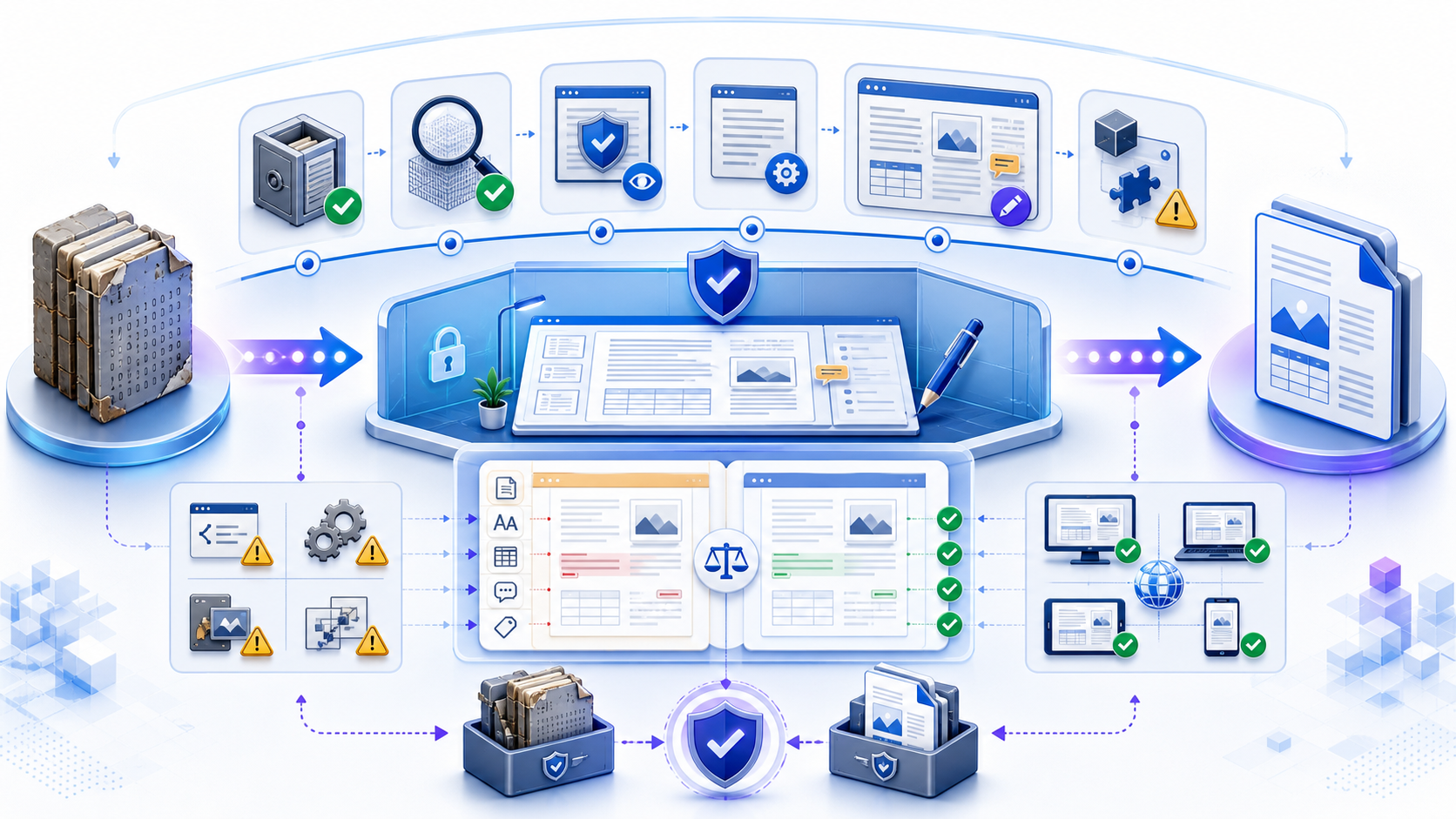
Use a DOC editor without sacrificing the original file使用 DOC Editor 时不要牺牲原始文件
A safe DOC editor workflow begins by proving that the file is a genuine legacy Word 97–2003 binary document, preserving the original unchanged, and opening a named copy in an approved application with protection enabled. Decide whether the recipient truly needs DOC, whether Compatibility Mode is acceptable, or whether a controlled copy should become DOCX. Edit only the required content, inspect warnings, macros, objects, review markup, metadata, and permissions, then compare the edited or converted output with the source in the recipient’s authoritative environment.
安全的 DOC Editor 工作流首先要证明文件是真正的 Word 97–2003 二进制文档,保持原件不变,并在保护开启的获准应用中打开具名副本。随后判断接收者是否确实需要 DOC、兼容模式是否可接受,或是否应把受控副本转换为 DOCX。只编辑必要内容,检查警告、宏、对象、审阅标记、元数据与权限,最后在接收方权威环境中把编辑或转换后的输出与源文件比较。
The phrase “doc editor” is ambiguous: it can mean any document editor or a tool for the `.doc` extension. This guide addresses the higher-risk exact-format job. Modern DOCX editing, online editor selection, and collaboration governance have separate pages. Here the central problem is legacy binary compatibility and controlled migration—not simply placing a cursor in a document.
“doc editor”既可能指任何文档编辑器,也可能指处理 `.doc` 扩展名的工具。本指南解决风险更高的精确格式任务。现代 DOCX 编辑、在线编辑器选择与协作治理已有独立页面;本页核心是旧二进制兼容与受控迁移,而不只是把光标放进文档。
Confirm that the file is truly a legacy DOC确认文件确实是旧版 DOC
Microsoft’s open specification defines DOC as the binary format used by Word 97, 2000, 2002, and 2003. It is an OLE compound file, not the ZIP/XML package used by DOCX. Display full extensions and use the application’s format information or an approved identification workflow. Do not assume every filename ending in `.doc` contains a valid Word binary document; a file can be misnamed, truncated, damaged, or disguised.
Microsoft 开放规范把 DOC 定义为 Word 97、2000、2002 与 2003 使用的二进制格式。它是 OLE 复合文件,不是 DOCX 使用的 ZIP/XML 包。应显示完整扩展名,并使用应用格式信息或获准识别流程。不要假设所有以 `.doc` 结尾的文件都是真实有效的 Word 二进制文档;文件可能被错误命名、截断、损坏或伪装。
| Format格式 | Container容器 | Editing implication编辑含义 |
|---|---|---|
| DOC | Legacy binary OLE compound file旧版二进制 OLE 复合文件 | May open in Compatibility Mode; web editing can be limited可能在兼容模式中打开;网页编辑可能受限 |
| DOCX | Office Open XML packageOffice Open XML 包 | Modern default; different feature and security surface现代默认格式;功能与安全面不同 |
| DOCM | Macro-enabled OOXML package启用宏的 OOXML 包 | Requires explicit macro-policy handling需要明确的宏政策处理 |
| ODT / RTF | Other document formats其他文档格式 | Opening and saving can transform Word-specific features打开和保存可能转换 Word 特有功能 |
Protect the source before a DOC editor changes anything在 DOC Editor 改变内容前保护源文件
- 1Verify provenance: confirm sender, business purpose, expected filename, transfer channel, and document owner.核验来源:确认发送者、业务目的、预期文件名、传输渠道与文档所有者。
- 2Preserve evidence: retain the received file unchanged; copy it with a date, purpose, and version suffix.保留证据:保持收到的文件不变;复制并加入日期、用途与版本后缀。
- 3Open protected: use Protected View or read-only first; do not enable editing or active content until justified.受保护打开:先使用受保护视图或只读;在理由充分前不要启用编辑或活动内容。
- 4Inventory features: record pages, sections, fonts, tables, objects, comments, changes, fields, links, macros, protection, and metadata.盘点功能:记录页面、分节、字体、表格、对象、批注、修订、域、链接、宏、保护与元数据。
- 5Define output: name the required recipient, format, authoritative application, approval criteria, and retention rule.定义输出:明确接收者、格式、权威应用、验收标准与保留规则。
Choose a DOC editor by control and compatibility按照控制与兼容性选择 DOC Editor
Choose the route from the document’s sensitivity and feature inventory—not from “free,” “online,” or “opens successfully.” A current approved desktop Word environment is normally the reference for complex legacy files. A controlled Word for the web route may view DOC but can require conversion for editing. A compatible local suite can be useful for ordinary content but needs round-trip testing. An online DOC editor adds upload, retention, account, and conversion decisions.
应依据文档敏感度与功能清单选择路径,而不是依据“免费”“在线”或“能打开”。对于复杂旧文件,当前且获准的桌面 Word 通常是参考环境。受控 Word 网页路径可能可以查看 DOC,却需要转换后才能编辑。兼容本地套件适合普通内容,但必须测试往返保存。在线 DOC Editor 还会增加上传、保留、账户与转换决策。
| Route路径 | Strength优势 | Primary risk主要风险 | Required evidence必需证据 |
|---|---|---|---|
| Desktop Word桌面 Word | Best reference for Word-specific legacy behavior最适合参考 Word 特有旧版行为 | Active content, old constructs, policy blocks活动内容、旧构造、政策阻止 | Protected first view, updated app, controlled account首次受保护查看、应用已更新、账户受控 |
| Word for the webWord 网页版 | Managed cloud and sharing托管云与共享 | DOC may be view-only or converted; feature differencesDOC 可能只读或被转换;功能存在差异 | Storage, conversion behavior, resulting file, access存储、转换行为、结果文件与访问 |
| Compatible local suite兼容本地套件 | Offline access without Word无 Word 时离线访问 | Import/export and layout transformation导入导出与版式转换 | Representative round-trip comparison代表性往返比较 |
| Online DOC editor在线 DOC 编辑器 | Fast access on constrained devices受限设备上的快速访问 | Unapproved upload, retention, partial rendering未批准上传、保留、部分渲染 | Privacy, data flow, deletion, fidelity, export tests隐私、数据流、删除、保真与导出测试 |
Understand what Compatibility Mode is protecting理解兼容模式正在保护什么
Compatibility Mode limits newer Word features so the file remains usable in an earlier format or with earlier versions. It is not automatically an error. It can be the correct state when the recipient requires DOC. However, it also means some modern features are unavailable or behave differently. Record the mode, target version, recipient requirement, and any Compatibility Checker findings before editing.
兼容模式限制较新的 Word 功能,使文件能够继续用于旧格式或旧版本。它不一定是错误;当接收方要求 DOC 时,兼容模式可能正是正确状态。但它也意味着某些现代功能不可用或行为不同。编辑前应记录模式、目标版本、接收要求与兼容性检查器发现。
Do not convert merely to remove the words “Compatibility Mode.” Conversion is a file-format decision. It can enable new capabilities but may transform legacy constructs, and saving back to DOC can lose modern features. Make the decision from the delivery contract and feature inventory.
不要只为了消除“兼容模式”字样而转换。转换属于文件格式决策;它可以启用新能力,却也可能改变旧构造,而再次保存为 DOC 又可能丢失现代功能。应依据交付约定与功能清单决策。
Limit the edit and preserve a traceable version chain限制编辑范围并保留可追踪版本链
Define the requested changes before enabling editing. Work on a named copy, use tracked changes when review evidence is required, avoid unrelated style cleanup, and save checkpoints before operations that may rewrite the file. Record the editor, source version, requested changes, application and version, output format, date, and approver. A small textual correction should not silently become a wholesale format migration.
启用编辑前先定义所需修改。在具名副本上工作;需要审阅证据时使用修订;避免无关样式清理;在可能重写文件的操作前保存检查点。记录编辑者、源版本、修改请求、应用与版本、输出格式、日期和批准者。一个小文字更正不应静默演变成全面格式迁移。
Immutable received DOC, provenance, hash or identifier, owner, and classification.
不可变的收到 DOC、来源、摘要或标识、所有者与分类。
Named DOC or DOCX copy, exact requested edits, checkpoints, and application details.
具名 DOC 或 DOCX 副本、确切修改、检查点与应用信息。
Visible markup, reviewer identity, unresolved issues, and acceptance decision.
可见标记、审阅者身份、未解决问题与接受决策。
Approved format, verified recipient rendering, version label, and retained evidence.
获准格式、接收环境复核、版本标签与保留证据。
Edit text and styles without triggering document-wide drift编辑文字与样式时避免全局漂移
Legacy documents often contain direct formatting, old style definitions, manual spacing, tabs, fields, and numbering that depend on the original Word behavior. Replace text within the intended paragraph, preserve style assignment, and inspect surrounding pages after any font, list, section, or style change. Test dates, page numbers, cross-references, table of contents, document properties, and other fields. Updating all fields can change more than the requested passage.
旧文档常包含直接格式、旧样式定义、手工空格、制表符、域和依赖原 Word 行为的编号。应在目标段落内替换文字,保留样式归属,并在任何字体、列表、分节或样式变化后检查相邻页面。测试日期、页码、交叉引用、目录、文档属性与其他域;更新全部域可能改变远超目标段落的内容。
If the file uses unavailable fonts, record substitutions before editing. Different metrics can change line breaks, table height, page count, signatures, and references. Do not “fix” pagination with repeated spaces or blank paragraphs; first identify the font or layout cause.
如果文件使用不可用字体,应在编辑前记录替换。不同字宽可能改变换行、表格高度、页数、签名与引用。不要用重复空格或空段落“修复”分页;应先识别字体或版式原因。
Inspect tables, images, equations, and embedded objects检查表格、图片、公式与嵌入对象
After changing a table, compare row and cell count, merged cells, repeated headings, widths, wrapping, borders, shading, text direction, calculations, and page breaks. After changing an image, compare crop, anchoring, wrapping, caption, resolution, and alt text. Treat equations, charts, text boxes, shapes, linked content, and embedded files as separate compatibility tests.
修改表格后比较行列与单元格数量、合并单元格、重复表头、宽度、换行、边框、底纹、文字方向、计算与分页。修改图片后比较裁剪、锚点、环绕、题注、分辨率与替代文本。公式、图表、文本框、形状、链接内容与嵌入文件应分别进行兼容性测试。
A placeholder or flattened preview is not proof that the object will remain editable or survive conversion. If an object carries business logic or evidence, open and verify it only through an authorized environment; do not activate unfamiliar embedded content to satisfy curiosity.
占位符或扁平化预览不能证明对象仍可编辑或能在转换后保留。如果对象承载业务逻辑或证据,只能在授权环境中打开并核验;不要为了好奇而激活陌生嵌入内容。
Keep review evidence visible through every save让审阅证据在每次保存后保持可见
Inventory comments, replies, authors, tracked insertions, deletions, moves, and formatting changes before editing. Confirm display mode and unresolved status after each save, conversion, upload, or export. A “clean” view can hide markup without accepting it. Accept or reject changes only under the documented review decision, and retain the pre-resolution copy when policy requires evidence.
编辑前盘点批注、回复、作者、修订插入、删除、移动与格式变化。每次保存、转换、上传或导出后都要确认显示模式与未解决状态。“干净”视图可能只是隐藏标记,并未接受。只有在有记录的审阅决策下才能接受或拒绝修订,并在政策要求时保留处理前副本。
If a candidate editor cannot expose complete markup, restrict it to a frozen read-only copy or use the reference Word environment. Do not approve a legal or negotiated document from a view that may omit changes.
如果候选编辑器不能显示完整标记,应把它限制为冻结的只读副本,或改用参考 Word 环境。不要依据可能省略修订的视图批准法律或协商文档。
Treat legacy macros, links, and embedded content as security decisions把旧宏、链接与嵌入内容视为安全决策
Legacy DOC can contain macros, fields, OLE objects, templates, external links, and other active or linked content. Keep Protected View, macro policy, file blocks, antivirus, and rights controls enabled. Confirm provenance and business need before enabling anything. A compatibility or repair prompt is not permission to bypass security.
旧 DOC 可能包含宏、域、OLE 对象、模板、外部链接以及其他活动或链接内容。应保持受保护视图、宏政策、文件阻止、杀毒与权限控制开启。启用任何内容前确认来源与业务必要性。兼容或修复提示不等于绕过安全的许可。
Hard stop: do not upload a sensitive legacy file to an unknown editor, enable unsigned active content, disable organization controls, or use a conversion site to strip protection. Escalate to the accountable security or document owner.
硬停止:不要把敏感旧文件上传到未知编辑器,不要启用未签名活动内容,不要关闭组织控制,也不要用转换网站移除保护。应升级给安全责任人或文档所有者。
Decide whether to keep DOC or convert a controlled copy决定保留 DOC 还是转换受控副本
Keep DOC when a binding recipient, regulated archive, legacy system, evidentiary requirement, or known workflow requires the original format. Consider DOCX when recipients support it, modern features or accessibility are needed, collaboration requires current tooling, or legacy support creates operational risk. Preserve the original either way. The conversion target should be explicit, named, reversible through retained source, and approved by the document owner.
当具有约束力的接收方、受监管归档、旧系统、证据要求或已知流程需要原格式时,应保留 DOC。当接收方支持 DOCX、需要现代功能或无障碍、协作依赖当前工具,或旧支持产生运行风险时,可考虑 DOCX。无论如何都保留原件。转换目标应明确、具名、可通过保留源文件回退,并由文档所有者批准。
| Question问题 | Keep DOC when保留 DOC 的情况 | Consider DOCX when考虑 DOCX 的情况 |
|---|---|---|
| Recipient接收方 | Contract or legacy system requires DOC合同或旧系统要求 DOC | All recipients validate modern DOCX所有接收方验证现代 DOCX |
| Features功能 | Legacy behavior must remain unchanged旧行为必须保持不变 | Modern accessibility, styles, and collaboration are needed需要现代无障碍、样式与协作 |
| Risk风险 | Conversion risk exceeds operating risk转换风险高于运行风险 | Legacy tooling or security risk exceeds conversion risk旧工具或安全风险高于转换风险 |
| Evidence证据 | Original format is part of the record原始格式属于记录组成 | Source is retained and converted output is verified源文件保留且转换输出已核验 |
Convert DOC to DOCX with a named, evidence-based workflow使用具名且基于证据的流程把 DOC 转为 DOCX
- 1Preserve and identify the original DOC; record source, owner, format, protection, and feature inventory.保留并识别原始 DOC;记录来源、所有者、格式、保护与功能清单。
- 2Open a working copy in the approved reference application with protection and policy intact.在保护与政策保持完整的获准参考应用中打开工作副本。
- 3Run the Compatibility Checker and record features that may change, flatten, disappear, or become unavailable.运行兼容性检查器,记录可能改变、扁平化、消失或不可用的功能。
- 4Use the supported Convert or Save As operation to create a separately named DOCX; never rename the extension.使用受支持的“转换”或“另存为”创建单独命名的 DOCX;绝不能直接改扩展名。
- 5Reopen both files, compare content and layout, resolve review evidence, and test in the recipient environment.重新打开两个文件,比较内容与版式,处理审阅证据,并在接收环境测试。
- 6Approve or reject the conversion, retain required evidence, and distribute only the named approved output.批准或拒绝转换,保留所需证据,只分发具名获准输出。
Compare more than visible paragraphs after conversion转换后不要只比较可见段落
Compare file identity and size, page and section count, beginning and ending text, headings, styles, fonts, lists, tables, calculations, images, crops, captions, equations, fields, links, bookmarks, headers, footers, footnotes, page numbers, comments, tracked changes, authors, metadata, protection, macros, embedded objects, accessibility, print output, and recipient rendering. Record Not Applicable rather than silently skipping a feature.
比较文件身份与大小、页数与分节数、开头与结尾文字、标题、样式、字体、列表、表格、计算、图片、裁剪、题注、公式、域、链接、书签、页眉页脚、脚注、页码、批注、修订、作者、元数据、保护、宏、嵌入对象、无障碍、打印输出与接收环境渲染。不适用的功能应明确记录“不适用”,而不是静默跳过。
Use the document’s risk to set acceptance. A one-line internal memo may tolerate a font substitution. A contract, signed record, form, financial schedule, accessible publication, or evidence file may not tolerate any structural or review-markup change.
应依据文档风险设置验收。内部一行备忘录可能可以接受字体替换;合同、签署记录、表单、财务明细、无障碍出版物或证据文件则可能无法接受任何结构或审阅标记变化。
Avoid parallel DOC branches during team editing团队编辑时避免并行 DOC 分支
Legacy files are easily duplicated through email attachments and local saves. Name one authoritative source, one working copy, and one released output. Assign owner, editor, reviewer, and approver roles. Avoid multiple attachment branches, define whether conversion occurs before collaboration, and record which application and format own the current truth.
旧文件很容易通过邮件附件与本地保存产生副本。应指定一个权威源、一个工作副本和一个发布输出,并分配所有者、编辑者、审阅者与批准者。避免多个附件分支,明确协作前是否转换,并记录当前事实由哪个应用与格式承载。
If real-time collaboration is required, conversion to a supported modern format may be appropriate, but that decision must follow the controlled workflow. Do not upload the only DOC to a cloud editor and let an automatic conversion become the unrecorded source of truth.
如果需要实时协作,转换为受支持现代格式可能合理,但必须遵循受控流程。不要把唯一 DOC 上传到云编辑器,让自动转换在没有记录的情况下成为事实源。
Recheck accessibility after legacy editing or conversion旧版编辑或转换后重新检查无障碍
Legacy structure may rely on visual formatting rather than semantic headings, table headers, meaningful links, and alternative text. A conversion can preserve the appearance while leaving inaccessible structure—or remove existing semantics. Run the approved accessibility checker, inspect heading order, table headers, alt text, link names, language, reading order, contrast, zoom, keyboard behavior, and final delivery environment.
旧结构可能依赖视觉格式,而不是语义标题、表头、有意义链接与替代文本。转换可能保留外观却留下不可访问结构,也可能移除已有语义。应运行获准无障碍检查器,并检查标题顺序、表头、替代文本、链接名称、语言、阅读顺序、对比度、缩放、键盘行为与最终交付环境。
Do not claim a document is accessible because it opens, converts, or passes one automated checker. Automated findings, manual inspection, assistive-technology testing, and recipient requirements are complementary evidence.
不能因为文档能打开、能转换或通过一个自动检查器就声称无障碍。自动发现、人工检查、辅助技术测试与接收要求是互补证据。
Diagnose the DOC editor failure before changing the file修改文件前诊断 DOC Editor 故障
| Symptom症状 | Likely cause class可能原因 | Safe next step安全下一步 |
|---|---|---|
| DOC is view-only onlineDOC 在线只读 | Web editor does not edit legacy DOC directly网页编辑器不直接编辑旧 DOC | Use approved desktop route or controlled copy conversion使用获准桌面路径或受控副本转换 |
| Compatibility Mode appears出现兼容模式 | Legacy format or compatibility settings旧格式或兼容设置 | Record requirement; do not convert automatically记录要求;不要自动转换 |
| Layout changes in another editor另一编辑器中版式变化 | Font, pagination, import, or object differences字体、分页、导入或对象差异 | Reopen source in reference app; compare copy在参考应用重开源文件并比较副本 |
| Blocked or Protected View warning阻止或受保护视图警告 | Source, location, validation, active content, or policy来源、位置、验证、活动内容或政策 | Keep protection; verify provenance; escalate policy保持保护、核验来源、升级政策问题 |
| Converted DOCX loses features转换 DOCX 后功能丢失 | Unsupported legacy feature or conversion rule不支持旧功能或转换规则 | Restore source; document loss; restrict or reject conversion恢复源文件、记录损失、限制或拒绝转换 |
Create a new DOCX when the source is Markdown源内容是 Markdown 时创建新 DOCX
When you are creating a new document from sanitized Markdown—not editing a legacy DOC—the InfiniSynapse Markdown to Word tool can produce an editable DOCX from supported headings, paragraphs, lists, and tables. Validate the output in the recipient environment. The tool is not a DOC editor, does not open binary DOC, does not convert DOC to DOCX, and does not preserve legacy macros, objects, protection, or review evidence.
当你的目标是从脱敏 Markdown 创建新文档,而不是编辑旧 DOC 时,InfiniSynapse Markdown 转 Word 工具可以根据受支持标题、段落、列表与表格生成可编辑 DOCX。应在接收环境核验输出。该工具不是 DOC Editor,不能打开二进制 DOC,不能把 DOC 转为 DOCX,也不能保留旧宏、对象、保护或审阅证据。
Start a new editable Word draft from sanitized Markdown从脱敏 Markdown 创建新的可编辑 Word 草稿
Use this route for new structured content only; keep legacy DOC editing and conversion inside an approved compatibility workflow.
此路径只用于新的结构化内容;旧 DOC 编辑与转换应留在获准兼容流程内。
Open Markdown to Word打开 Markdown 转 WordComplete this DOC editor delivery checklist完成这份 DOC Editor 交付检查表
True format, provenance, owner, classification, immutable original, and working copy are recorded.
记录真实格式、来源、所有者、分类、不可变原件与工作副本。
Approved app, protection, scope, Compatibility Mode, changes, objects, and checkpoints are known.
获准应用、保护、范围、兼容模式、修改、对象与检查点均明确。
Owner approved the format decision; Compatibility Checker findings and losses are recorded.
所有者批准格式决策;兼容性检查器发现与损失已记录。
Content, layout, markup, metadata, protection, accessibility, recipient rendering, and filename pass.
内容、版式、标记、元数据、保护、无障碍、接收渲染与文件名通过。
Questions about using a DOC editor关于使用 DOC Editor 的常见问题
Microsoft’s guidance indicates that legacy DOC can be view-only in Word for the web and may need conversion to a modern format for editing. Confirm the current tenant behavior, preserve the original, and treat conversion as a controlled file-format decision.
Microsoft 指南说明旧 DOC 在 Word 网页版中可能只能查看,编辑前可能需要转换为现代格式。应确认当前租户行为、保留原件,并把转换作为受控文件格式决策。
Only when recipients support DOCX, the owner approves, modern capabilities are needed, and a test shows acceptable preservation. Keep DOC when a binding recipient, archive, legacy system, or evidentiary requirement needs it. Always retain the original.
只有在接收方支持 DOCX、所有者批准、需要现代能力且测试证明保留程度可接受时才转换。当接收方、归档、旧系统或证据要求需要 DOC 时应保留,并始终保留原件。
No. DOC is a legacy binary compound file and DOCX is an OOXML package. Renaming changes only the label. Use an approved application’s supported Convert or Save As operation on a copy.
不能。DOC 是旧二进制复合文件,DOCX 是 OOXML 包;改名只改变标签。应在副本上使用获准应用的受支持“转换”或“另存为”。
The service may convert the binary file, substitute fonts, use a different pagination engine, flatten objects, omit unsupported features, or export through another format. Test a representative copy and compare it with the authoritative source and recipient environment.
服务可能转换二进制文件、替换字体、使用不同分页引擎、扁平化对象、省略不支持功能,或经其他格式导出。应测试代表性副本,并与权威源和接收环境比较。
Not by default. Authorization, data flow, retention, access, deletion, active content, file sensitivity, rendering, and export must be qualified. Never begin with confidential content, and do not accept “free” or “private” as technical evidence.
默认不能这样认为。必须验证授权、数据流、保留、访问、删除、活动内容、文件敏感度、渲染与导出。不要从机密内容开始,也不要把“免费”或“隐私”当作技术证据。
Official sources for legacy DOC editing and compatibility旧 DOC 编辑与兼容性的官方资料
- Microsoft Learn: Word DOC Binary File Format specificationMicrosoft Learn:Word DOC 二进制文件格式规范
- Microsoft Support: Compatibility Mode in Word for the webMicrosoft 支持:Word 网页版兼容模式
- Microsoft Support: Compatibility changes between Word versionsMicrosoft 支持:Word 版本间的兼容性变化
- Microsoft Support: Check file compatibility with earlier versionsMicrosoft 支持:检查与早期版本的兼容性
- Microsoft Support: Save documents for earlier Word versionsMicrosoft 支持:为早期 Word 版本保存文档
- Library of Congress: Word 97–2003 Binary File Format美国国会图书馆:Word 97–2003 二进制文件格式