
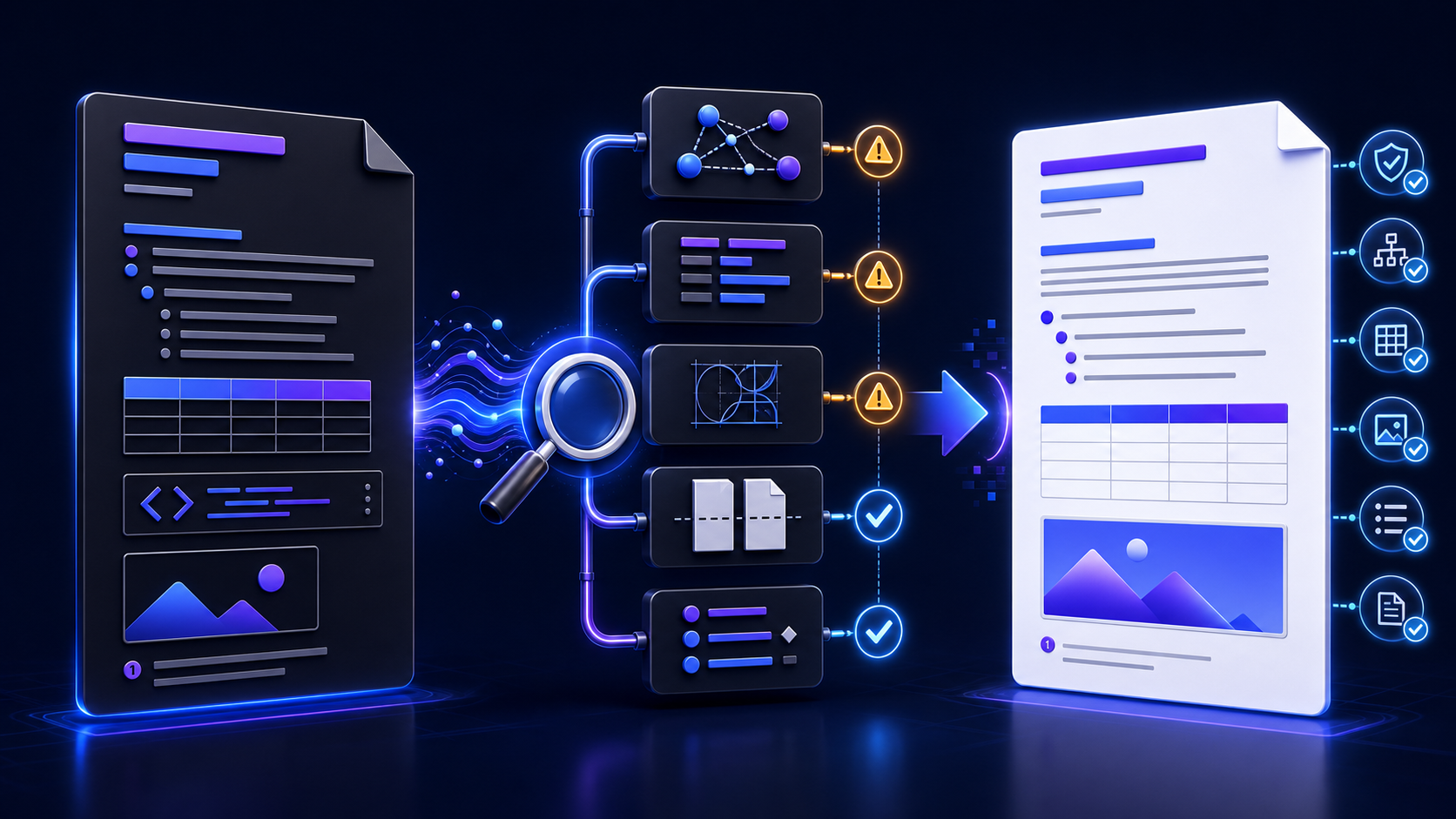
Convert MD to DOCX without losing formatting将 MD 转换为 DOCX 且尽量不丢格式
People searching convert md to docx often already know a basic command or browser workflow. Their real problem appears after download: headings look like bold text, lists restart, images disappear, tables run off the page, code changes, fonts substitute, equations flatten, or page breaks move. This guide is a diagnostic playbook for those failures.
搜索将 MD 转换为 DOCX的用户通常已经知道基本命令或浏览器流程,真正问题出现在下载以后:标题只剩粗体、列表重新编号、图片消失、表格超出页面、代码被改写、字体被替换、公式扁平化或分页移动。本指南就是针对这些故障的诊断手册。
Understand why Markdown and DOCX cannot match one-for-one理解 Markdown 与 DOCX 为什么无法逐项完全对应
Markdown records lightweight structure: headings, paragraphs, emphasis, links, lists, code, images, and dialect-specific extensions. DOCX is a package of related XML parts for paragraphs, runs, styles, numbering, tables, media, notes, relationships, sections, properties, and more. A converter must interpret the source and choose a target representation; it cannot merely copy formatting bytes.
Markdown 记录轻量结构,包括标题、段落、强调、链接、列表、代码、图片及方言扩展。DOCX 则是由多个相关 XML 部件构成的文件包,用于表达段落、文本运行、样式、编号、表格、媒体、脚注、关系、分节和属性等。转换器必须解释源内容并选择目标表达,不能只是复制格式字节。
Microsoft’s explanation of styles in a WordprocessingML document shows why appearance and structure are separate: a paragraph can contain runs of text, while style information determines how the paragraph is presented. A heading that only looks large is not equivalent to a paragraph assigned a heading style.
微软关于 WordprocessingML 段落样式的说明揭示了外观与结构为何不同:段落可包含多个文本运行,而样式信息决定段落呈现方式。仅仅看起来字号很大的段落,并不等于真正应用了标题样式。
The Markdown parser decides whether characters represent a heading, list, code block, table, link, or ordinary text.Markdown 解析器决定字符表示标题、列表、代码块、表格、链接还是普通文字。
The DOCX writer decides which native Word elements, styles, numbering definitions, media relationships, and section properties represent that structure.DOCX 写入器决定用哪些原生 Word 元素、样式、编号定义、媒体关系与分节属性表达这些结构。
Build one representative MD-to-DOCX regression fixture建立一份有代表性的 MD 转 DOCX 回归样例
Do not troubleshoot with a 200-page report first. Create a short fixture that contains every feature your real documents use, including the edge cases that previously failed. Keep it in version control with expected output screenshots or a review checklist. After any parser, converter, template, font, filter, or operating-system change, regenerate it before processing production files.
不要先用 200 页报告排错。应创建一份短小样例,包含真实文档使用的每种功能,尤其是过去失败的边界情况。把样例与预期输出截图或审核清单一起纳入版本控制。解析器、转换器、模板、字体、过滤器或操作系统发生变化后,先重新生成样例,再处理生产文件。
| Fixture feature样例功能 | Variation to include应包含的变化 | Failure it reveals能够暴露的故障 |
|---|---|---|
| Headings标题 | Levels 1–3, adjacent headings, punctuation, multilingual text1–3级、连续标题、标点与多语言文字 | Wrong style mapping, skipped levels, broken navigation样式映射错误、层级跳跃、导航损坏 |
| Lists列表 | Ordered, unordered, nested, long items, continuation paragraphs有序、无序、嵌套、长条目与续接段落 | Restarted numbering, lost indentation, flattened nesting编号重启、缩进丢失、嵌套被压平 |
| Tables表格 | Wide text, empty cell, pipe character, long URL, numeric column长文本、空单元格、竖线字符、长 URL 与数字列 | Column mismatch, clipping, unreadable width, content loss列错位、裁切、宽度不可读或内容丢失 |
| Media媒体 | Relative and absolute paths, spaces, non-ASCII names, captions, alt text相对与绝对路径、空格、非 ASCII 文件名、题注与替代文本 | Broken path, missing relationship, distorted image, lost semantics路径损坏、关系缺失、图片变形或语义丢失 |
| Code and math代码与公式 | Long lines, special characters, inline code, block math, Unicode symbols长行、特殊字符、行内代码、块公式与 Unicode 符号 | Smart quotes, wrapping loss, unsupported syntax, font fallback弯引号、换行丢失、语法不支持或字体回退 |
Preflight the Markdown before changing any DOCX setting修改 DOCX 设置前先预检 Markdown
-
1Confirm the dialect. Identify CommonMark,
GitHub Flavored Markdown, Pandoc Markdown, Obsidian
extensions, raw HTML, custom directives, or another syntax.
Configure the matching reader instead of assuming every
.mdfile is identical.确认方言。 识别 CommonMark、GitHub Flavored Markdown、Pandoc Markdown、Obsidian 扩展、原始 HTML、自定义指令或其他语法,配置匹配的读取器,不要假设所有.md文件相同。 - 2Validate structure. Use one title, logical heading levels, consistent list indentation, closed code fences, balanced emphasis markers, complete links, and tables with the same cell count on each row.验证结构。 保留一个主标题,使用逻辑标题层级、统一列表缩进、闭合代码围栏、成对强调标记、完整链接,并确保表格每行单元格数量一致。
- 3Make resources portable. Put images and included files in controlled folders, use paths relative to a known working directory, avoid ambiguous duplicate names, and test from a clean checkout.让资源可移植。 把图片与包含文件放入受控目录,使用相对于已知工作目录的路径,避免重名歧义,并从干净检出环境测试。
- 4Remove unsafe content. Strip credentials, private paths, scripts, macros, unsupported embedded objects, and sensitive metadata before any third-party processing.删除不安全内容。 在任何第三方处理前移除凭证、私有路径、脚本、宏、不支持的嵌入对象与敏感元数据。
The CommonMark specification is a useful baseline for core syntax, but a file may deliberately depend on extensions outside that specification. Record those dependencies instead of “fixing” valid dialect-specific input to suit an unidentified parser.
CommonMark 规范是核心语法的良好基线,但文件可能有意依赖规范之外的扩展。应记录这些依赖,而不是为了迁就不明解析器,把有效的方言语法当作错误修改。
Fix missing images by tracing paths and DOCX relationships通过路径与 DOCX 关系定位图片丢失
A Markdown image reference contains a path or URL, but DOCX normally needs an embedded media part and a relationship from document content to that part. If the converter cannot resolve the source, lacks permission, blocks remote fetches, changes the working directory, or rejects the file type, the image may disappear even though the Markdown preview worked elsewhere.
Markdown 图片引用包含路径或 URL,而 DOCX 通常需要嵌入媒体部件,并从文档内容建立到该部件的关系。如果转换器无法解析源地址、缺少权限、阻止远程获取、改变工作目录或拒绝文件类型,图片就可能消失,即使 Markdown 在其他预览器中正常。
- Resolve the exact path from the converter’s working directory, including capitalization, spaces, Unicode characters, and URL encoding.从转换器工作目录解析准确路径,检查大小写、空格、Unicode 字符与 URL 编码。
- Open the source image independently and confirm its media type, dimensions, integrity, and permissions.独立打开源图片,确认媒体类型、尺寸、完整性与权限。
- Test a simple local PNG beside the MD file. If it works, add path depth, name complexity, and remote sources one variable at a time.先测试与 MD 同目录的简单本地 PNG;成功后再逐次增加路径深度、复杂文件名与远程来源。
-
Unzip a copy of the DOCX and check whether the image exists
under
word/mediaand whether the document relationship points to it.解压 DOCX 副本,检查图片是否位于word/media,以及文档关系是否指向它。 - Verify aspect ratio, crop, resolution, caption, alt text, and placement after Word reopens the file.Word 重开文件后,验证宽高比、裁切、分辨率、题注、替代文本与位置。
Repair broken DOCX tables, lists, and numbering修复 DOCX 表格、列表与编号故障
Markdown tables do not define page width, column widths, repeating headers, cell margins, or complex merges. Long values can force a Word table wider than the page. Start with a rectangular source table, then decide whether the correct DOCX behavior is autofit to content, autofit to window, fixed widths, landscape orientation, a smaller font, or splitting the table.
Markdown 表格不定义页面宽度、列宽、重复表头、单元格边距或复杂合并。长值可能迫使 Word 表格超出页面。先确保源表格是规则矩形,再决定正确 DOCX 行为是根据内容自动调整、根据窗口调整、固定列宽、横向页面、减小字体,还是拆分表格。
Lists require separate numbering definitions and paragraph indentation in DOCX. When a nested list flattens or numbering restarts, simplify the fixture until one failing boundary remains. Check blank lines, continuation paragraph indentation, mixed ordered and unordered levels, manual numeric prefixes, and reference-template list styles. Do not repair a structural list by typing spaces or numbers into the final Word file; that produces fragile appearance rather than a real list.
DOCX 列表需要独立编号定义与段落缩进。嵌套列表被压平或编号重启时,应简化样例直到只剩一个失败边界。检查空行、续接段落缩进、有序与无序层级混合、手工数字前缀及参考模板列表样式。不要靠在最终 Word 文件中输入空格或数字修复结构列表,那只能得到脆弱外观,而不是真正列表。
Accessibility matters: use tables for data, not page layout; keep structures simple; identify header rows; and verify reading order. Visual resemblance alone is not acceptance.必须考虑可访问性:表格应用于数据而非页面布局,结构应简单,明确表头行,并验证阅读顺序。视觉相似不能单独作为验收标准。
Map Markdown semantics to native Word styles把 Markdown 语义映射到原生 Word 样式
If a heading looks correct but does not appear in Word’s Navigation pane or table of contents, it may be direct formatting rather than a heading paragraph style. Inspect the style name, outline level, and inheritance. A controlled reference DOCX can define the appearance of styles that the converter assigns, but it cannot recover semantics the parser never recognized.
如果标题外观看起来正确,却不出现在 Word 导航窗格或目录中,它可能只是直接格式,而不是真正的标题段落样式。应检查样式名称、大纲级别与继承关系。受控参考 DOCX 可以定义转换器所分配样式的外观,但无法恢复解析器从未识别的语义。
| Markdown meaningMarkdown 含义 | Preferred DOCX structure推荐 DOCX 结构 | Acceptance evidence验收证据 |
|---|---|---|
| Document title文档标题 | Title paragraph style“标题”段落样式 | Exactly one title, correct metadata and visual treatment只有一个主标题,元数据与视觉处理正确 |
| Section heading章节标题 | Heading 1/2/3 with logical outline levels标题 1/2/3 与逻辑大纲级别 | Navigation and generated TOC are correct导航与生成目录正确 |
| Block quote块引用 | Dedicated quote style, not repeated tabs专用引用样式,而非重复制表符 | Meaning remains clear in print and assistive technology打印与辅助技术中含义仍清晰 |
| Code block代码块 | Controlled paragraph style with monospace font and wrapping policy受控段落样式、等宽字体与换行策略 | Characters and indentation match the source字符与缩进同源一致 |
| Caption题注 | Caption style and, when required, Word caption field题注样式,必要时使用 Word 题注字段 | Numbering and cross-references update correctly编号与交叉引用可正确更新 |
Control fonts, Unicode, page size, and section layout控制字体、Unicode、页面尺寸与分节版式
A DOCX can request a font without embedding it. If the recipient’s system does not have that font, Word substitutes another, changing line breaks, table widths, pagination, symbols, and code alignment. Test on a second clean device with the required operating system and Word version. Record font licenses and deployment requirements rather than assuming your development machine represents every recipient.
DOCX 可以请求字体而不嵌入字体。如果接收者系统缺少该字体,Word 会替换字体,进而改变换行、表格宽度、分页、符号与代码对齐。应在第二台干净设备上使用要求的操作系统与 Word 版本测试,并记录字体许可证和部署要求,不能假设开发机器代表所有接收者。
- Include multilingual text, emoji, mathematical symbols, combining marks, and right-to-left text when real documents need them.真实文档需要时,应测试多语言文字、表情符号、数学符号、组合字符与从右到左文字。
- Define page size, margins, orientation, header/footer distance, and section breaks in the target template or post-processing step.在目标模板或后处理步骤中定义页面尺寸、页边距、方向、页眉页脚距离与分节符。
- Inspect widows, orphans, headings stranded at page bottoms, split tables, clipped code, and captions separated from objects.检查孤行、标题落在页底、表格拆分、代码裁切,以及题注与对象分离。
- Reopen, print preview, export to PDF, and compare page counts only as diagnostic signals—not proof of semantic equivalence.重开、打印预览、导出 PDF,并把页数比较仅作为诊断信号,而非语义等价证明。
Use Pandoc readers, resource paths, and reference DOCX intentionally有意识地使用 Pandoc 读取器、资源路径与参考 DOCX
Pandoc is a strong local route when you need repeatability, native DOCX output, controlled styles, filters, or automation. Its behavior still depends on reader extensions, working directory, resource paths, metadata, reference document, filters, and version. Start with the smallest command that reproduces the failure, then add one option at a time.
pandoc input.md \
  --from=gfm \
  --to=docx \
  --resource-path=. \
  --reference-doc=reference.docx \
  --output=output.docx
This is an illustrative pattern, not a universal prescription. Choose the actual reader and options for your source. The official Pandoc User’s Guide documents input formats, extensions, resource lookup, DOCX output, reference documents, metadata, filters, and other options. Pin the tested version and store the command with the project.
Pandoc 适合需要可重复性、原生 DOCX 输出、受控样式、过滤器或自动化的本地流程,但其行为仍取决于读取器扩展、工作目录、资源路径、元数据、参考文档、过滤器与版本。先用最小命令复现故障,再逐项增加参数。上方命令只是示例模式,不是通用处方;应根据实际源文件选择读取器与参数。官方 Pandoc 用户指南说明了输入格式、扩展、资源查找、DOCX 输出、参考文档、元数据、过滤器和其他选项。应固定已测试版本,并把命令同项目一起保存。
Use a symptom-to-cause troubleshooting matrix使用“症状—原因—验证”故障矩阵
| Symptom症状 | Likely cause to test优先测试原因 | Decisive experiment决定性实验 |
|---|---|---|
| Heading missing from navigation导航中没有标题 | Parser did not recognize syntax or writer used direct formatting解析器未识别语法,或写入器使用直接格式 | Convert one heading; inspect paragraph style and outline level只转换一个标题,检查段落样式与大纲级别 |
| Image placeholder or blank area图片占位或空白 | Unresolved path, blocked fetch, unsupported media, missing relationship路径无法解析、远程获取被阻止、媒体不支持或关系缺失 |
Use a local PNG beside the MD; inspect
word/media使用 MD 同目录本地 PNG,并检查
word/media
|
| Table exceeds page width表格超出页面 | Long unbreakable content, no width policy, wrong page orientation内容不可断行、缺少宽度策略或页面方向错误 | Replace long values; compare autofit and landscape treatments替换长值,并比较自动调整与横向页面方案 |
| Numbering restarts unexpectedly编号意外重启 | Source list boundary, mixed indentation, or numbering definition split源列表边界、缩进混合或编号定义被拆分 | Reduce to two adjacent list items and add context incrementally缩减为两个相邻列表项,再逐步增加上下文 |
| Pagination differs by device不同设备分页不同 | Font substitution, printer metrics, Word version, field update字体替换、打印机度量、Word 版本或字段更新 | Compare fonts, versions, layout settings, and PDF exports on clean devices在干净设备比较字体、版本、版式设置与 PDF 导出 |
| Code characters change代码字符变化 | Smart quotes, encoding, syntax highlighting transform, font issue弯引号、编码、语法高亮转换或字体问题 | Compare source and extracted DOCX text byte-for-byte where practical在可行时逐字节比较源文本与 DOCX 提取文本 |
Change one variable per experiment and record input hash, tool and version, command or settings, operating system, template hash, fonts, output hash, symptom, and result. Without that record, repeated conversion can create activity without producing diagnosis.
每次实验只改变一个变量,并记录输入哈希、工具与版本、命令或设置、操作系统、模板哈希、字体、输出哈希、症状与结果。没有这些记录,反复转换只会制造操作量,无法形成诊断。
Test a sanitized MD file with the InfiniSynapse converter使用 InfiniSynapse 转换器测试已脱敏 MD 文件
Use the InfiniSynapse Markdown to Word tool for a quick, sanitized browser test. Include a small regression fixture, preview the parsed structure, download the Word-compatible result, and inspect headings, lists, tables, images, code, links, styles, fonts, and pagination. Use an approved local or internal workflow for sensitive data, strict native DOCX requirements, controlled templates, or automated builds.可使用 InfiniSynapse Markdown 转 Word 工具进行快速、已脱敏的浏览器测试。放入一份小型回归样例,预览解析结构,下载 Word 兼容结果,再检查标题、列表、表格、图片、代码、链接、样式、字体与分页。敏感数据、严格原生 DOCX、受控模板或自动化构建应使用批准的本地或内部流程。
Open the Markdown to Word tool打开 Markdown 转 Word 工具Run Word accessibility checks and verify issues manually运行 Word 可访问性检查并进行人工验证
Conversion quality includes whether recipients can navigate and understand the document with assistive technology. Run Word’s accessibility checker or assistant, then review its findings in context. Microsoft’s current Accessibility Checker rules cover issues such as alternative text, table headers and simple table structure, contrast, and use of heading styles.
转换质量还包括接收者能否借助辅助技术导航并理解文档。运行 Word 可访问性检查器或助手,再结合上下文人工审核结果。微软当前的 可访问性检查器规则涵盖替代文本、表头与简单表格结构、对比度和标题样式等问题。
Automated checks do not prove that alt text is accurate, reading order makes sense, links are understandable, tables are cognitively usable, or technical content is correct. Test the Navigation pane, keyboard order, screen-reader output where required, zoom and reflow, print layout, and human comprehension.
自动检查不能证明替代文本准确、阅读顺序合理、链接容易理解、表格认知可用,或技术内容正确。应按要求测试导航窗格、键盘顺序、屏幕阅读器输出、缩放与重排、打印版式及人工理解效果。
Verify DOCX output across the environments recipients use在接收者使用的环境中验证 DOCX 输出
“Opens in Word” is too weak an acceptance criterion. Name the supported applications and versions: Word for Windows, Word for macOS, Word for the web, mobile Word, or approved alternative editors. Open, edit, save, close, reopen, update fields, navigate, comment, print, and export through the recipient’s real workflow.
“能在 Word 打开”是过于宽松的验收条件。应明确支持的应用与版本,例如 Windows 版 Word、macOS 版 Word、Word 网页版、移动版 Word或获批的其他编辑器。按照接收者真实流程完成打开、编辑、保存、关闭、重开、更新字段、导航、批注、打印与导出。
- Compare structure: styles, outline, list definitions, tables, relationships, notes, and properties.比较结构:样式、大纲、列表定义、表格、关系、脚注与属性。
- Compare content: text, punctuation, numbers, code, URLs, image count, captions, and citations.比较内容:文字、标点、数字、代码、URL、图片数量、题注与引用。
- Compare presentation: fonts, spacing, alignment, widths, page breaks, headers, footers, and total pages.比较呈现:字体、间距、对齐、宽度、分页、页眉页脚与总页数。
- Record acceptable differences explicitly. A changed page count may be harmless or critical depending on contracts, forms, page references, and printing requirements.明确记录可接受差异。页数变化可能无害,也可能因合同、表单、页码引用或打印要求而非常关键。
Use this convert-MD-to-DOCX quality checklist使用这份 MD 转 DOCX 质量清单
- Record the Markdown dialect, extensions, converter, version, command, template, filters, fonts, and environment.记录 Markdown 方言、扩展、转换器、版本、命令、模板、过滤器、字体与环境。
- Validate source headings, lists, fences, tables, links, paths, encoding, and resource permissions.验证源标题、列表、代码围栏、表格、链接、路径、编码与资源权限。
- Run a representative fixture containing every important structure and known edge case.运行包含全部重要结构与已知边界情况的代表性样例。
- Confirm native Word styles, outline levels, numbering, tables, media relationships, notes, and properties.确认原生 Word 样式、大纲级别、编号、表格、媒体关系、脚注与属性。
- Compare all text, numbers, links, code, image count, captions, and citations with the source.比较源与输出中的全部文字、数字、链接、代码、图片数量、题注与引用。
- Inspect fonts, Unicode, page size, margins, sections, headers, footers, and page breaks on clean devices.在干净设备检查字体、Unicode、页面尺寸、页边距、分节、页眉页脚与分页。
- Run accessibility checks and manually verify headings, tables, alt text, link meaning, and reading order.运行可访问性检查,并人工验证标题、表格、替代文本、链接含义与阅读顺序。
- Save, close, reopen, edit, print, and export in every supported recipient environment.在每个受支持接收环境中保存、关闭、重开、编辑、打印与导出。
- Archive input and output hashes, evidence, exceptions, owner, approver, and regression result.归档输入与输出哈希、证据、例外、负责人、批准人和回归结果。
Convert MD to DOCX troubleshooting FAQMD 转 DOCX 故障排查常见问题
The converter may not resolve the path from its working directory, may block remote URLs, may lack permission, may reject the media type, or may fail to create the DOCX media relationship. Test a local PNG beside the MD file, then add path complexity one variable at a time and inspect the DOCX package.转换器可能无法从工作目录解析路径、阻止远程 URL、缺少权限、拒绝媒体类型,或没有创建 DOCX 媒体关系。先测试 MD 同目录本地 PNG,再逐次增加路径复杂度,并检查 DOCX 文件包。
The parser may not recognize the heading syntax, or the writer may apply direct formatting instead of a native heading paragraph style and outline level. Inspect the actual paragraph style, simplify the source, and verify style mapping with a minimal file.解析器可能没有识别标题语法,或写入器使用了直接格式,而不是原生标题段落样式和大纲级别。应检查真实段落样式,简化源文件,并用最小文件验证样式映射。
Remove unbreakable values, define an intentional width policy, consider landscape orientation or table splitting, and test autofit behavior in the required Word versions. Preserve real cells and header rows rather than turning the table into an image merely to force a visual match.删除不可断行的长值,定义明确宽度策略,必要时使用横向页面或拆表,并在要求的 Word 版本中测试自动调整。应保留真实单元格与表头,不能只为视觉一致而把表格变成图片。
No. It can control supported target styles and some document properties, but it cannot restore source semantics the parser did not recognize, fetch missing resources, make unsupported extensions valid, or guarantee identical pagination across fonts and Word environments.不能。它可以控制受支持的目标样式和部分文档属性,但无法恢复解析器未识别的源语义、获取缺失资源、让不支持的扩展变有效,或保证不同字体与 Word 环境分页完全相同。
About this MD-to-DOCX diagnostic guide关于本 MD 转 DOCX 诊断指南
Primary references used for this guide are the CommonMark specification, the official Pandoc manual, Microsoft Learn documentation for WordprocessingML paragraph styles, and Microsoft Support rules for Word accessibility checking. Test current behavior in your own environment before approving a workflow.
本指南主要参考 CommonMark 规范、官方 Pandoc 手册、微软关于 WordprocessingML 段落样式的 Learn 文档,以及微软关于 Word 可访问性检查的支持规则。批准流程前,必须在自己的环境中测试当前行为。