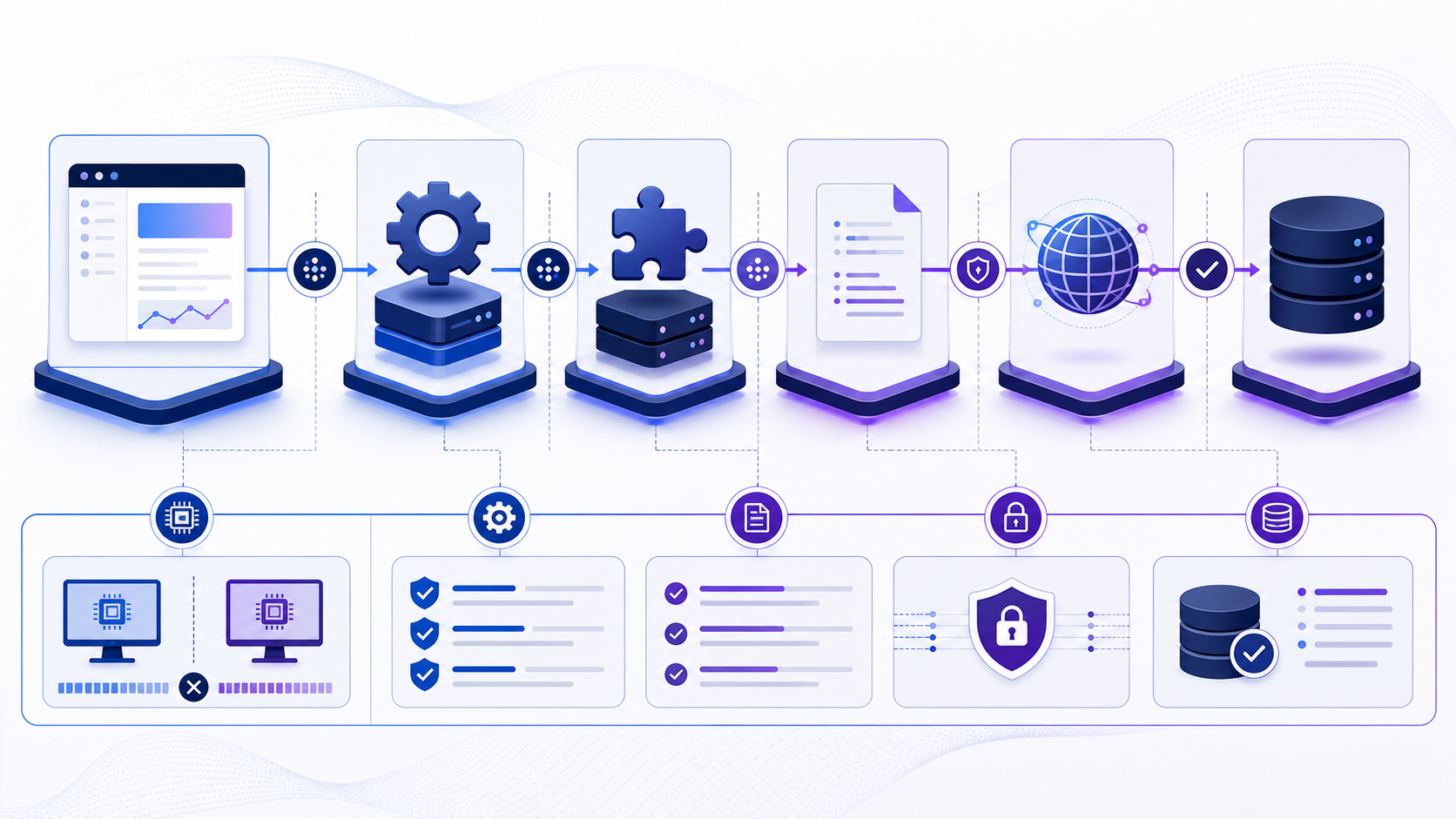
What does ODBC connection mean?
ODBC connection identifies a specific part of the path applications use to reach ODBC. A successful low-level test proves only that one stage responded. A usable database session also requires correct name resolution, route, the database listener port, the selected ODBC driver and database wire protocol, compatible client software, TLS trust, authentication, database selection and permission for the intended operation.
Troubleshoot from the client context that actually fails. Record time, source network, endpoint, driver and version, sanitized effective configuration, exact error, first failing stage and recent changes. Do not paste passwords, tokens, private keys or complete production connection strings into tickets or public tools.
Trace an ODBC connection through every component
ODBC is an API contract, not a database protocol or a single network transport. An application calls an ODBC Driver Manager; the manager locates and loads a vendor driver; the driver interprets connection attributes and speaks the database-specific protocol. A DSN or connection string supplies configuration, while the operating system, process architecture and driver installation determine what is actually visible. This layered design explains why the same credentials can work in one program and fail in another.
Begin by identifying the exact process that fails: executable path, 32- or 64-bit architecture, service account, working directory and runtime environment. Then capture the Driver Manager, driver name and version, data source type, sanitized effective attributes and final server endpoint. A successful test in the ODBC administrator only proves the administrator process can load that driver and use that configuration; it does not automatically reproduce a Windows service, scheduled task, container or application server.
| Layer | Failure signal | Evidence to collect |
|---|---|---|
| Application | Different behavior between tools using the same DSN name. | Process architecture, account, connection API and working environment. |
| Driver Manager | Data source not found or no default driver specified. | DSN scope, registry view/config file and installed driver list. |
| Driver | Unsupported keyword, protocol negotiation or conversion error. | Driver vendor, exact version, documented attributes and native error. |
| Database path | Timeout, TLS failure, login rejection or operation denial. | Resolved endpoint, transport timing, certificate, identity and server logs. |
Choose between a DSN and a driver connection string
A DSN gives a connection configuration a local name and centralizes selected attributes on that machine. This can simplify desktop administration and allow an operator to update an endpoint without editing every workbook. It also introduces deployment state: the named data source must exist in the correct scope, architecture and host. A driver connection string is more explicit and portable in automated deployment, but only when configuration is managed securely and every required attribute is declared.
Do not mix secret storage with configuration portability. Whether using a DSN or a string, keep reusable passwords out of source code, screenshots and broadly readable files. Prefer approved secret injection, integrated identity or short-lived credentials when supported. Record non-secret attributes—driver, server, database, encryption policy, certificate behavior, timeouts and application intent—in version-controlled deployment configuration, then obtain secrets at runtime.
| Decision factor | DSN | Driver connection string |
|---|---|---|
| Deployment | Requires a correctly scoped local data-source definition. | Can travel with managed application configuration. |
| Change ownership | Often owned by desktop or system administration. | Often owned by the application deployment pipeline. |
| Reproducibility | Must export or recreate non-secret settings on every host. | Explicit when all relevant keywords are controlled. |
Diagnose ODBC with SQLSTATE and native errors
ODBC diagnostic records contain more than a message string. The five-character SQLSTATE provides a standardized error class and subclass, while the native error number and message come from the driver or database. A single API call can return multiple diagnostic records, so capture the full ordered chain. Frameworks that retain only the first human-readable sentence can discard the vendor code needed to distinguish authentication, network and server conditions.
| SQLSTATE family | Meaning to investigate | Useful comparison |
|---|---|---|
IM class | Driver Manager, DSN, driver loading or function support. | Application bitness versus installed driver and DSN scope. |
08 class | Connection exception or communication path. | Driver native code, endpoint, transport timing and server log. |
28 class | Invalid authorization specification. | Identity class, secret source, authentication mode and account state. |
42 class | Syntax or access-rule problem after connection. | Exact SQL, database context, object name and effective privileges. |
Log diagnostic records with a correlation identifier, timestamp, operation name and sanitized connection context. Never log a full connection string simply because the driver returned it. Separate transient errors that may justify a bounded retry from deterministic configuration errors that will only create more load if retried.
Build an ODBC compatibility matrix before rollout
An ODBC upgrade can change TLS defaults, supported authentication, Unicode handling, type mappings, timestamp precision and connection pooling behavior without changing the application’s visible DSN name. Test the combinations that production actually runs: operating system, process architecture, Driver Manager, driver version, database version and authentication method. Include at least one representative query for each important data type and operation class.
- Prove driver discoveryRun under the application account and architecture, not only an administrator session.
- Prove secure loginVerify encryption, certificate identity and the intended authentication mechanism.
- Prove data semanticsCompare nulls, Unicode, decimals, dates, binary values and parameter binding.
- Prove lifecycle behaviorExercise pool reuse, idle timeout, failover, cancellation and clean shutdown.
Validate ODBC data behavior after connection succeeds
Compatibility is incomplete when login succeeds but values change meaning. Build a read-only fixture that covers the data types the application actually uses: Unicode text, null and empty values, high-precision decimals, dates around timezone or daylight-saving boundaries, timestamps with fractional precision, long text, binary data and large identifiers. Retrieve the fixture through the upgraded driver and compare both value and metadata such as type, precision, scale and nullability.
Exercise parameter binding separately from result retrieval. Drivers can agree on displayed values while differing in how parameters are encoded, rounded or inferred. Test prepared statements, repeated parameters, batch operations and transaction boundaries using non-production data. Record driver and Driver Manager versions, application architecture, locale and connection attributes with the result. If a difference is intentional, document the application adaptation and rollback condition; do not silently accept truncation or implicit conversion warnings.
Finally, compare row counts and checksums produced by the old and new path over a small approved fixture. Investigate every mismatch before rollout, including differences caused by locale, encoding or timezone defaults. Preserve the fixture definition and expected results so the same acceptance test can be repeated after future driver, operating-system or database upgrades.
A repeatable ODBC connection diagnostic workflow
Move from observed runtime context to the first failing stage, then validate the smallest safe correction.
- Capture the exact contextRecord time, runtime identity, source network, driver/version, sanitized configuration, endpoint, database and error.
- Resolve the effective destinationVerify DNS answers, route, proxy and the exact the database listener port used by the process.
- Test transport and TLSMeasure socket and handshake stages separately; verify trust chain and server identity.
- Test identity and target scopeValidate driver-supported password, integrated, Kerberos, certificate or token authentication, database or service selection and effective permissions.
- Run a minimal safe operationUse a deterministic, bounded, read-only operation before representative workload testing.
- Correct, retest and monitorChange one controlled variable, preserve rollback, retest from the failing context and watch recurrence.
Prepare ODBC connection evidence for compatibility review
Prepare sanitized engine and version, client runtime, driver and version, source environment, endpoint, the database listener port, database or service, TLS mode, authentication method, effective non-secret properties, exact error, first failing stage and recent changes. Never include passwords, tokens, private keys or unredacted production strings.
Review ODBC connection compatibility
Use the InfiniSynapse DB Compatibility Checker to organize engine, driver, endpoint, protocol and TLS questions from sanitized evidence. Treat the output as guidance, then validate the real workload path, permissions, performance and failure behavior in an approved environment.
Open DB Compatibility CheckerODBC connection FAQ
What is ODBC connection?
ODBC connection identifies a defined component of the connection path used to reach ODBC; it does not by itself prove authentication, authorization or query success.
How do I test ODBC connection?
Test from the failing runtime in stages: configuration, DNS, route, transport, TLS, protocol, authentication, database selection and a minimal safe operation.
Why does ODBC connection connect but login fail?
Transport success reaches the listener, while login depends on identity, secret, authentication method, source rule, account state and target database context.
Should ODBC connection be open to the internet?
Normally no. Prefer private connectivity and narrowly scoped allowlists. If public exposure is unavoidable, require verified TLS, strong identity, monitoring and explicit risk approval.
What information is safe to share when troubleshooting ODBC connection?
Share sanitized versions, endpoint class, port, driver, TLS mode, authentication type, exact error and stage timing. Never share passwords, tokens, private keys or full production strings.
How can I avoid ODBC connection outages during change?
Inventory consumers, test compatibility, canary the change, keep overlap and rollback, monitor new and old paths, and remove temporary access only after traffic proves completion.