What does port 3306 mean?
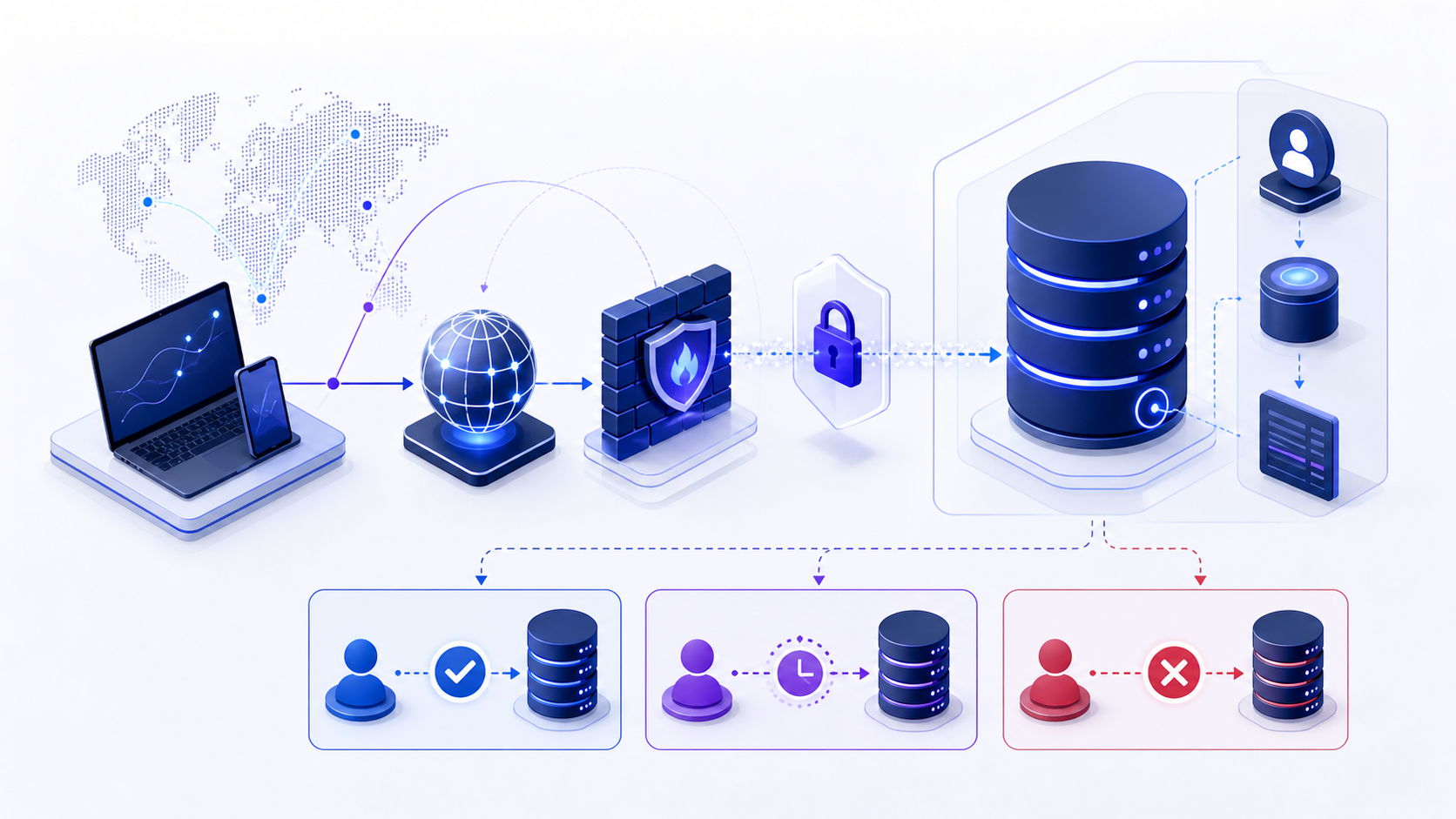
port 3306 identifies a specific part of the path applications use to reach MySQL. A successful low-level test proves only that one stage responded. A usable database session also requires correct name resolution, route, 3306, the MySQL client/server protocol, compatible client software, TLS trust, authentication, database selection and permission for the intended operation.
Troubleshoot from the client context that actually fails. Record time, source network, endpoint, driver and version, sanitized effective configuration, exact error, first failing stage and recent changes. Do not paste passwords, tokens, private keys or complete production connection strings into tickets or public tools.
Follow the MySQL protocol beyond port 3306
A TCP connection to port 3306 is only the opening event in a MySQL session. After the socket is accepted, the server sends an initial handshake that identifies the protocol version, server capabilities, default character set and an authentication challenge. The client responds with its own capability flags, the account name, authentication data and—when requested—the target database. A failure at any of these points can occur after a port checker reports success.
This distinction matters when comparing clients. A current MySQL client may negotiate TLS and a modern authentication plugin correctly, while an older connector reaches the same listener but cannot complete authentication. Record the client library, exact version, runtime architecture and authentication plugin before changing the network. If one client works and another does not from the same host, the most useful next comparison is usually the handshake and client capability set—not another firewall test.
| Observed result | What is already proven | What to inspect next |
|---|---|---|
| TCP timeout | No usable transport path was established. | DNS answer, route, security group, firewall and listener address. |
| Server greeting appears | The endpoint speaks the MySQL client/server protocol. | TLS mode, authentication plugin and client capability compatibility. |
| Access denied | Transport and enough protocol negotiation completed to evaluate identity. | The matched user@host account, secret, plugin and account state. |
| Unknown database | The session reached database selection. | Database spelling, deployment environment and account visibility. |
Diagnose MySQL account and host matching
MySQL does not authenticate a username in isolation. It selects an account row using both the user name and the client host, then applies that row’s authentication plugin, credential state and privileges. This is why a service may connect from a developer laptop but receive an access-denied response from a container, a new subnet or a failover node. The two clients can present the same user name yet match different account rows—or fail to match an intended row at all.
Investigate the effective source as MySQL sees it. NAT, proxies and managed database gateways can make that source different from the application’s local address. Compare the intended account definition with the account actually selected, but do not solve the problem by creating a broad wildcard host or granting global privileges. A safer correction is a narrowly scoped runtime account for the approved source range, the required authentication method and only the schema permissions the workload needs.
Evidence to retain: sanitized account name, observed source class, server version, authentication plugin, TLS mode, selected database and exact MySQL error number. Never capture the password hash, plaintext secret or complete production URI.
Use MySQL errors to choose the next test
The error text and number narrow the failing layer more reliably than the phrase “database connection failed.” Client error 2003 commonly means the client could not establish the expected network connection to the named host and port; error 2002 often appears with a local socket or local connection path. Server error 1045 indicates that the request progressed far enough for the server to reject authentication or account matching. Preserve the exact code before retry libraries wrap it in a generic exception.
| Signal | Do first | Avoid |
|---|---|---|
| 2003 / connection timed out | Resolve the host in the failing runtime and run a bounded TCP test to the resolved address. | Rotating credentials; authentication has not started. |
| 1045 / access denied | Check the matched account host, plugin, account state and secret delivery. | Opening the firewall more broadly; the server already answered. |
| Certificate identity failure | Compare the requested DNS name with certificate identities and the active trust store. | Permanently disabling identity verification. |
| Too many connections | Inspect active sessions, pool limits, leak behavior and admission control. | Raising the server limit without a memory and workload review. |
Change a port 3306 path without losing evidence
A MySQL endpoint change affects more than a firewall rule. Long-lived pools may continue using old sessions, replicas may accept a different operation set, DNS caches may retain old addresses, and certificate identity may change before every client trust store is ready. Define success as a complete application transaction through the new path, not as a green socket check. Test a fresh connection, pooled reuse, a bounded read, the required write path when approved, and reconnection after a controlled interruption.
Use a canary workload that has the same driver, authentication mode and pool configuration as production. Monitor connection creation latency, authentication errors, rejected sessions, pool wait time and representative query outcomes by endpoint. Keep the old path available only for a defined overlap window, establish an explicit rollback trigger, and remove temporary accounts or network rules once traffic evidence shows that every consumer has migrated.
Prove the port 3306 path with session evidence
Close the investigation with evidence from the same workload identity that originally failed. Record the resolved endpoint, server version, current database, encrypted-session state and a read-only identity check. Then run one bounded query representative of the application’s normal access pattern and capture elapsed time without customer data. This establishes that the client reached the intended MySQL service, completed authentication, entered the right database and received a usable result.
Repeat the check after one pool lifetime and after a controlled reconnect. A result obtained only on the first connection can miss DNS rotation, expired credentials, certificate renewal and stale pooled sessions. Define an owner for every follow-up action, attach the sanitized error and before/after evidence to the change record, and state exactly what remains untested—for example write permission, replica failover or production-scale concurrency. Evidence with explicit scope is more useful than the unsupported statement “port 3306 is fixed.”
Correlate each acceptance attempt with the MySQL server log using a precise timestamp and connection source. This confirms that the expected server—not an unintended proxy or replica—processed the session and provides a durable reference if the symptom returns.
A repeatable port 3306 diagnostic workflow
Move from observed runtime context to the first failing stage, then validate the smallest safe correction.
- Capture the exact contextRecord time, runtime identity, source network, driver/version, sanitized configuration, endpoint, database and error.
- Resolve the effective destinationVerify DNS answers, route, proxy and the exact 3306 used by the process.
- Test transport and TLSMeasure socket and handshake stages separately; verify trust chain and server identity.
- Test identity and target scopeValidate MySQL account host matching, authentication plugin and privileges, database or service selection and effective permissions.
- Run a minimal safe operationUse a deterministic, bounded, read-only operation before representative workload testing.
- Correct, retest and monitorChange one controlled variable, preserve rollback, retest from the failing context and watch recurrence.
Prepare port 3306 evidence for compatibility review
Prepare sanitized engine and version, client runtime, driver and version, source environment, endpoint, 3306, database or service, TLS mode, authentication method, effective non-secret properties, exact error, first failing stage and recent changes. Never include passwords, tokens, private keys or unredacted production strings.
Review port 3306 compatibility
Use the InfiniSynapse DB Compatibility Checker to organize engine, driver, endpoint, protocol and TLS questions from sanitized evidence. Treat the output as guidance, then validate the real workload path, permissions, performance and failure behavior in an approved environment.
Open DB Compatibility Checkerport 3306 FAQ
What is port 3306?
port 3306 identifies a defined component of the connection path used to reach MySQL; it does not by itself prove authentication, authorization or query success.
How do I test port 3306?
Test from the failing runtime in stages: configuration, DNS, route, transport, TLS, protocol, authentication, database selection and a minimal safe operation.
Why does port 3306 connect but login fail?
Transport success reaches the listener, while login depends on identity, secret, authentication method, source rule, account state and target database context.
Should port 3306 be open to the internet?
Normally no. Prefer private connectivity and narrowly scoped allowlists. If public exposure is unavoidable, require verified TLS, strong identity, monitoring and explicit risk approval.
What information is safe to share when troubleshooting port 3306?
Share sanitized versions, endpoint class, port, driver, TLS mode, authentication type, exact error and stage timing. Never share passwords, tokens, private keys or full production strings.
How can I avoid port 3306 outages during change?
Inventory consumers, test compatibility, canary the change, keep overlap and rollback, monitor new and old paths, and remove temporary access only after traffic proves completion.